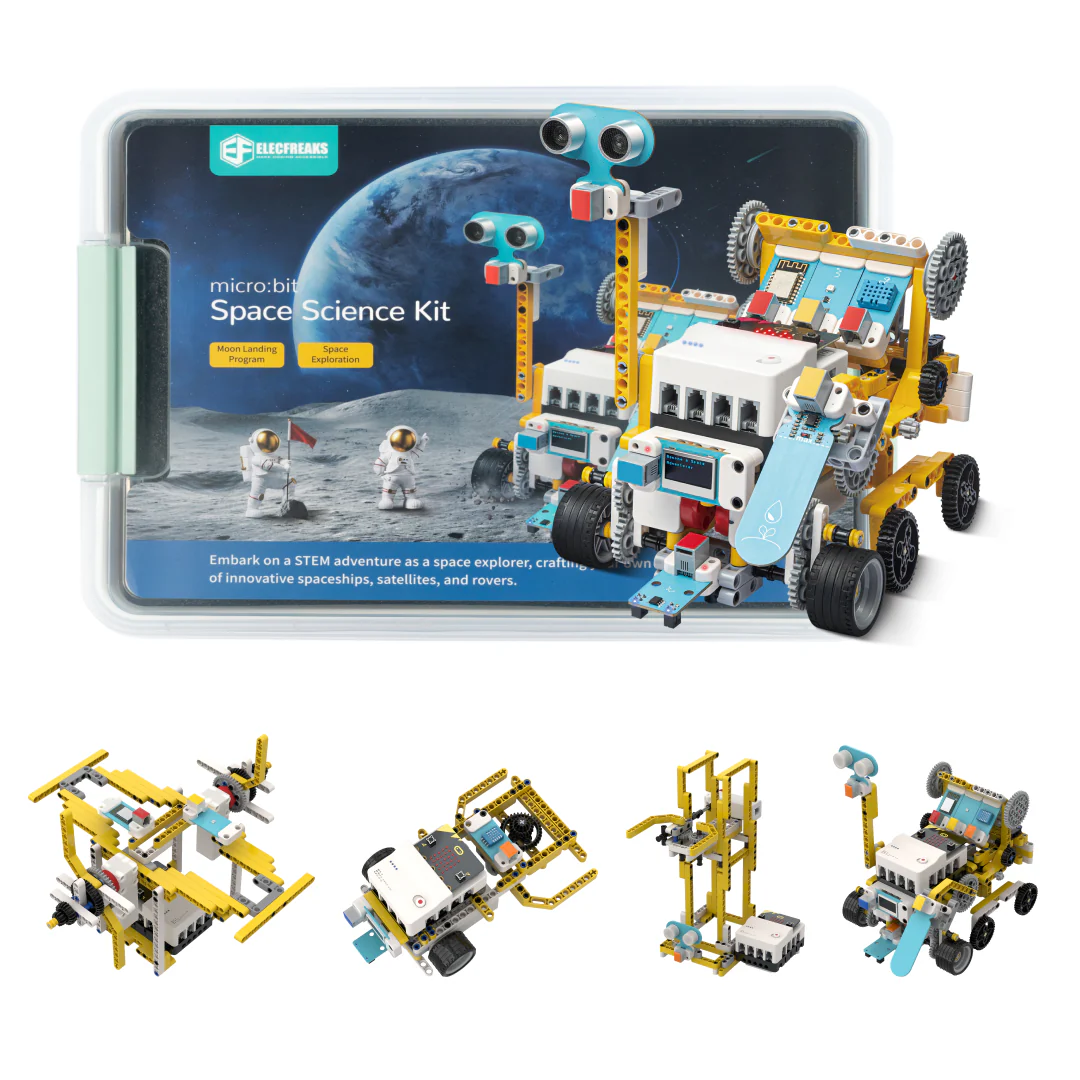
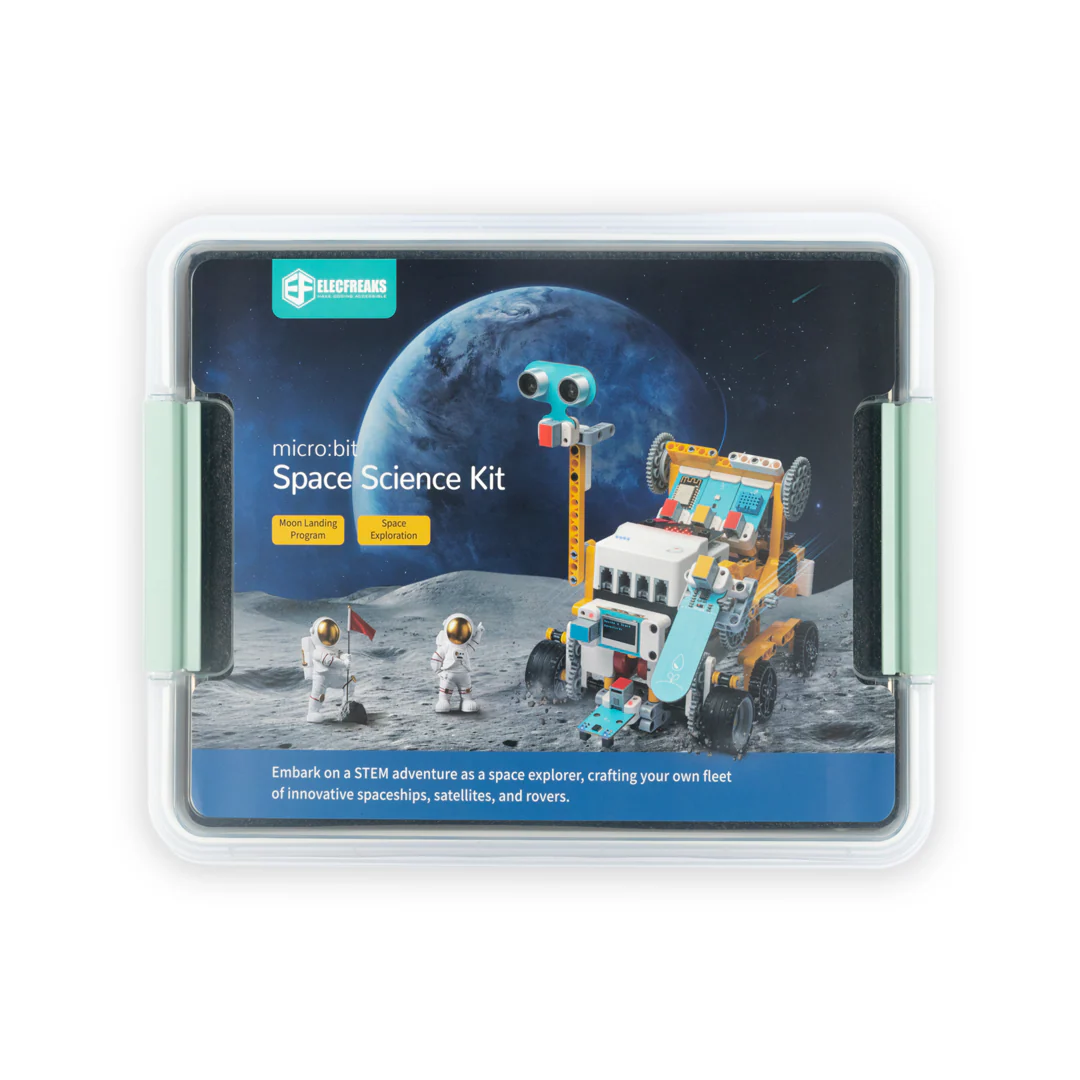
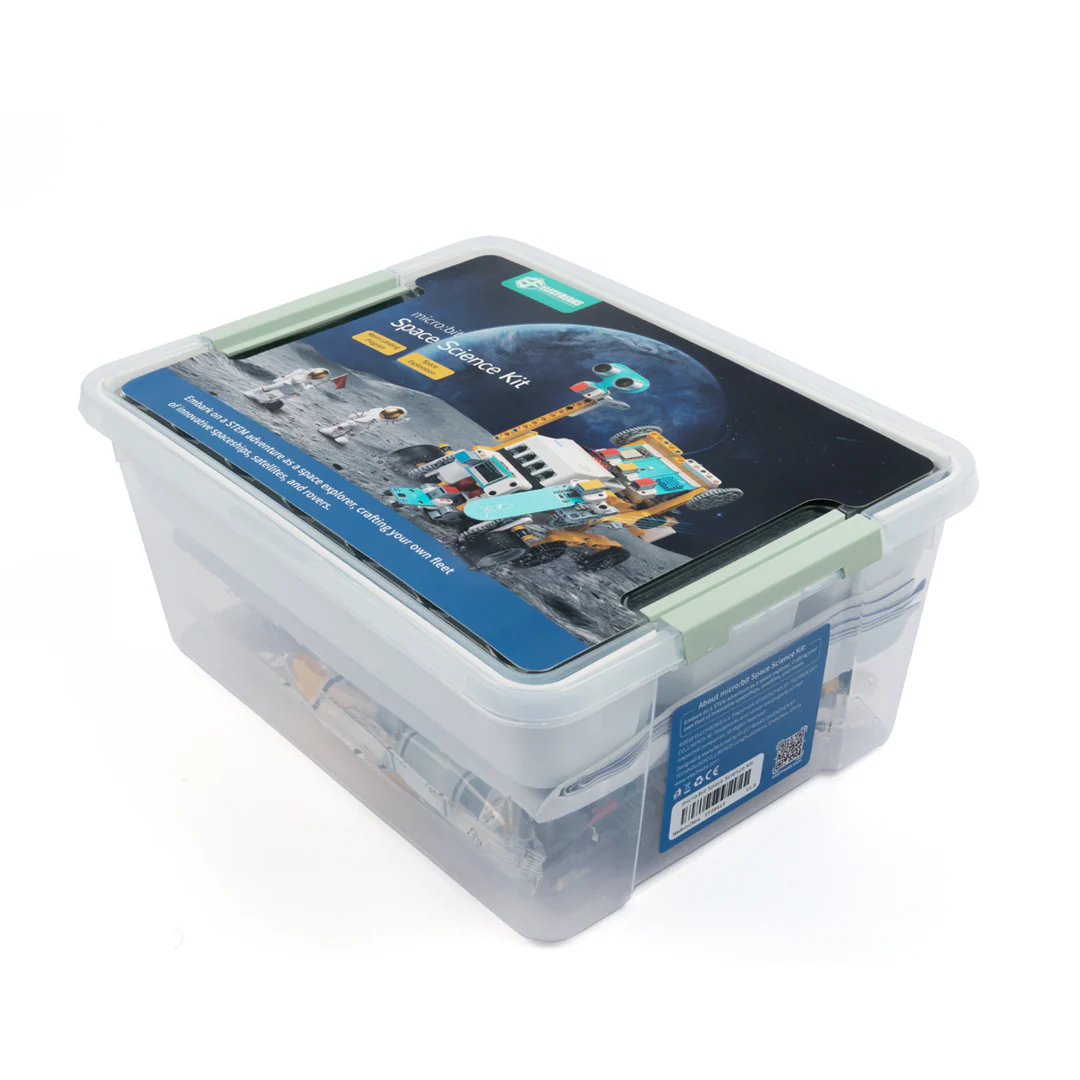
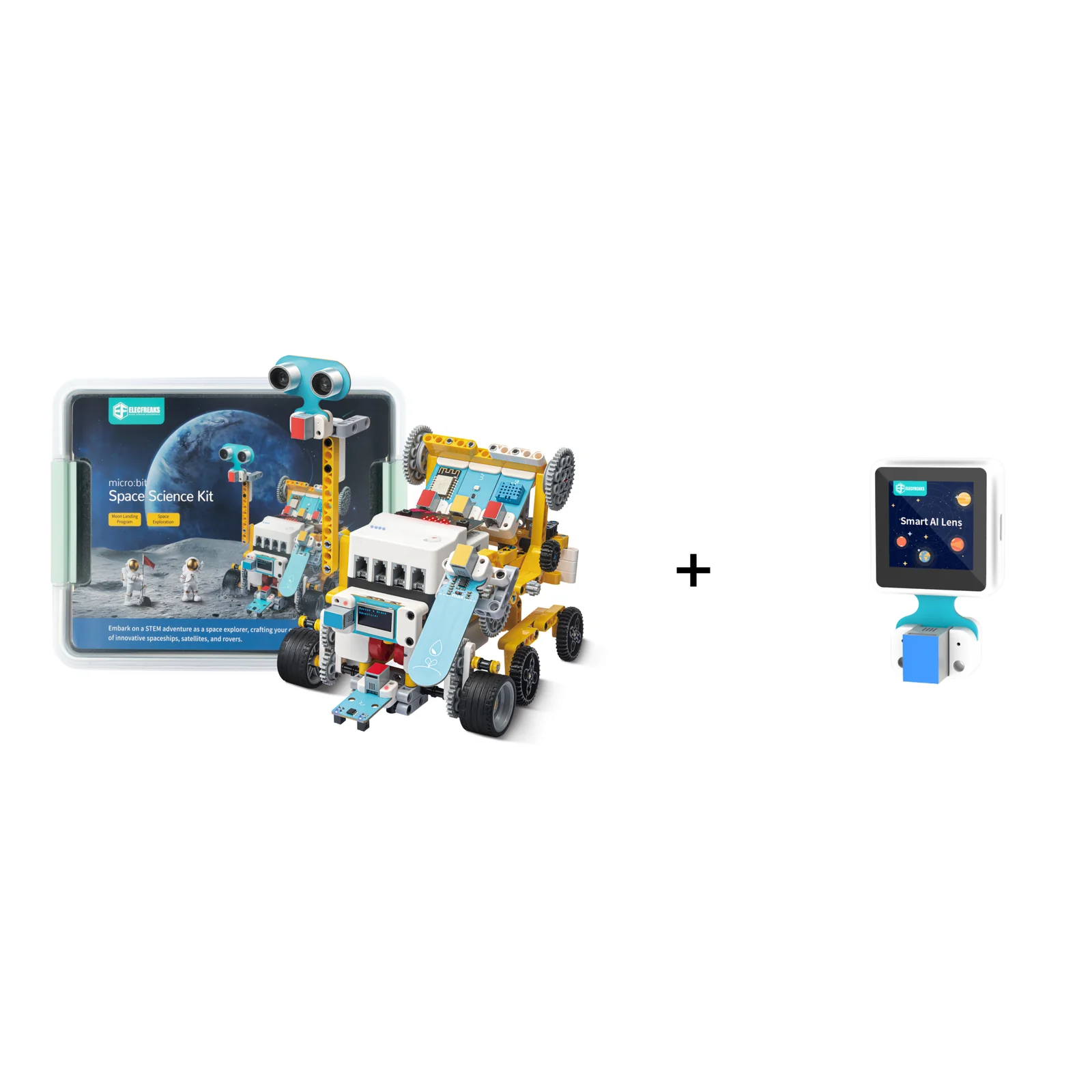
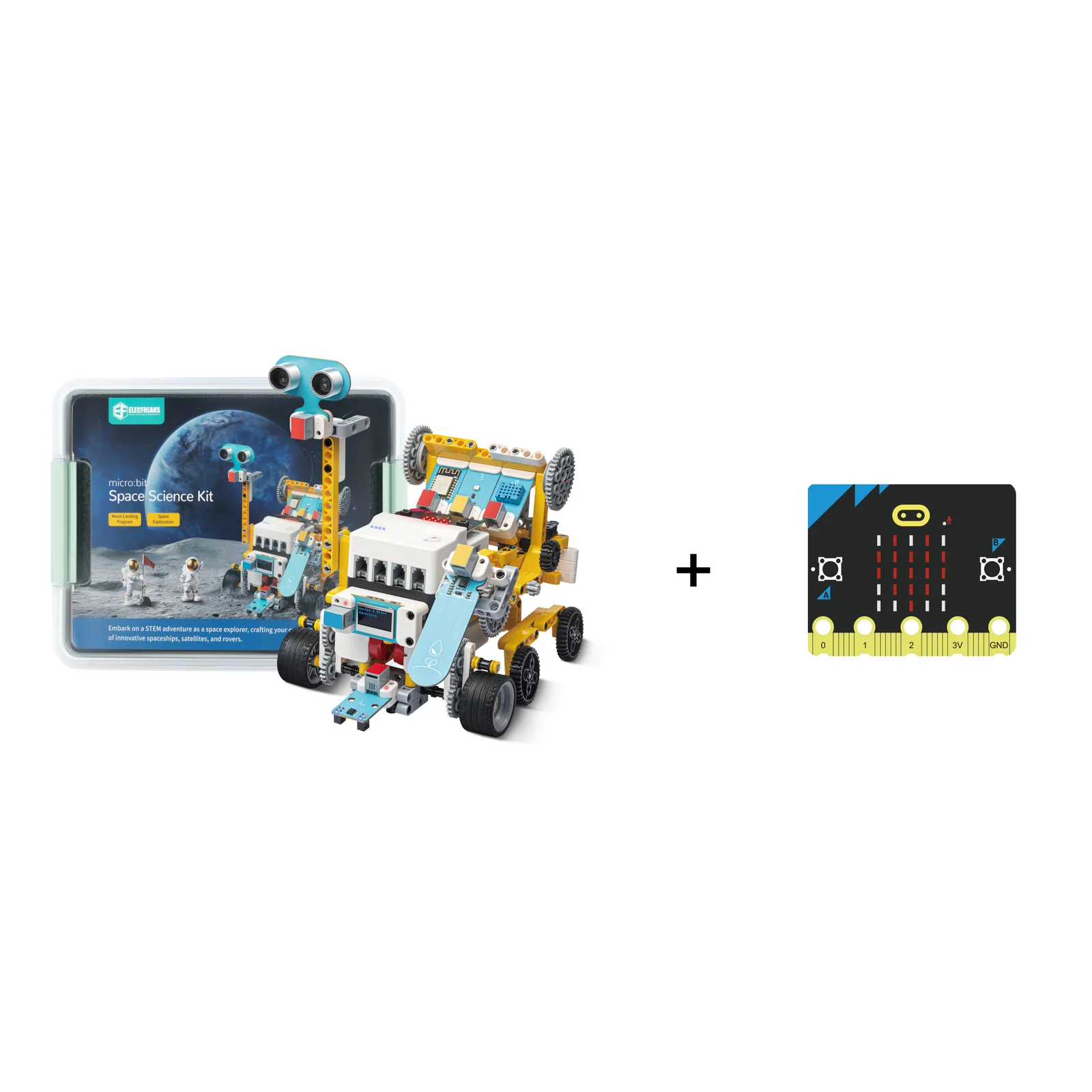
A STEAM education kit designed for elementary and middle school students. Combines the Nezha Breakout Board V2, PlanetX Smart Motors, real-world sensors, a lunar mission scenario map, and 400+ building blocks to simulate the complete journey of a lunar mission.
Product Overview
The micro:bit Space Science Kit (EF08413) is a complete STEAM education kit designed for elementary and middle school students (ages 10+). It recreates the entire process of a lunar mission — from launch to return — through hands-on building, programming, and scenario-based exploration.
Product Features
Every feature is purpose-designed for immersive, effective STEAM learning from first build to advanced programming.
Built around a real space exploration narrative, every project in the kit ties to aerospace science concepts. Students don't just program robots — they simulate lunar missions, study orbital mechanics, and learn how real space agencies operate. The curriculum is aligned for elementary and middle school students, making abstract STEAM concepts tangible and exciting.
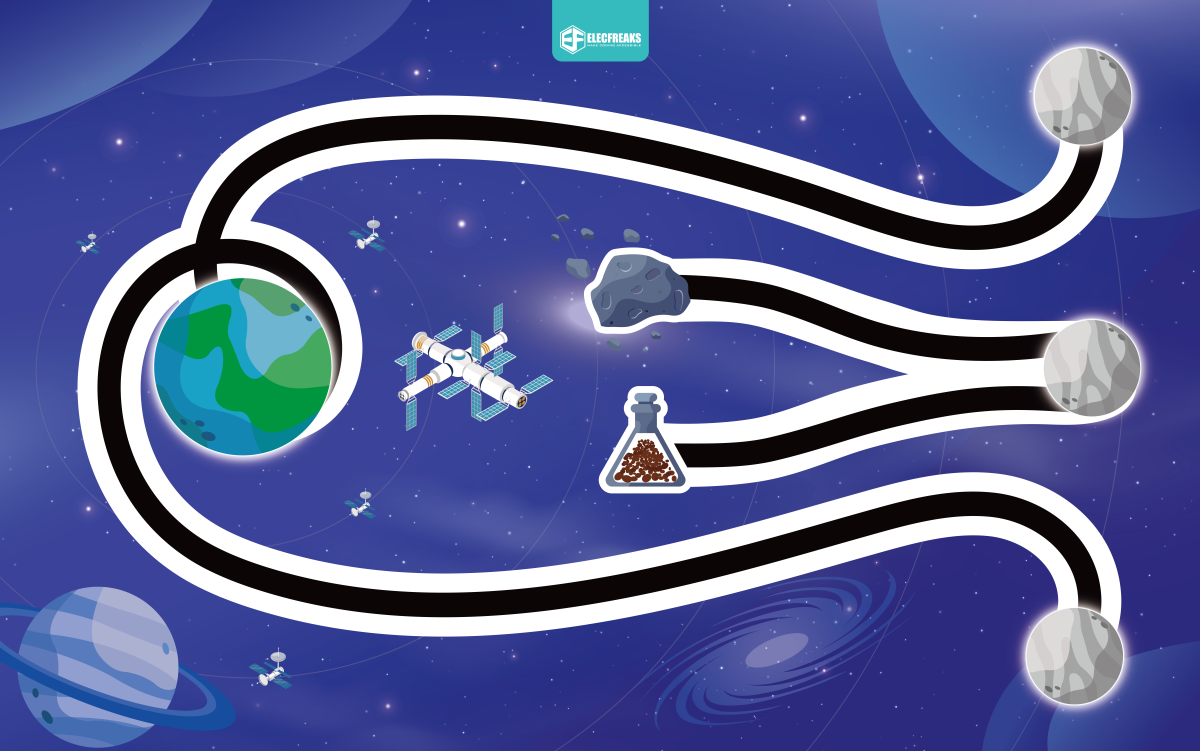
The kit recreates the entire process of a lunar mission — launch, near-Earth orbit, lunar orbit insertion, moon surface operations, and return. Students progress through these six mission phases on a large scenario-based moon landing map, gaining a complete understanding of space missions while developing engineering and programming skills at each stage.
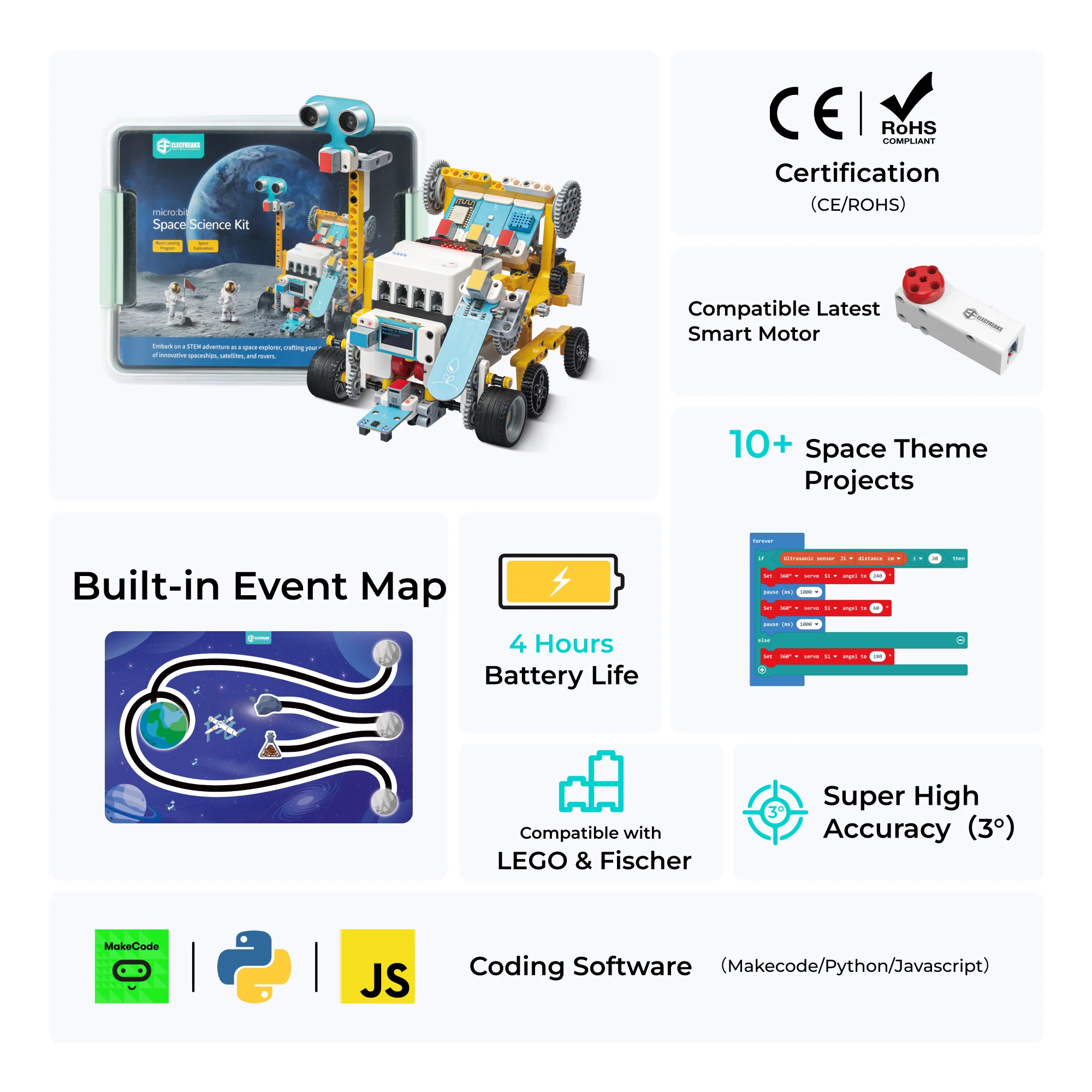
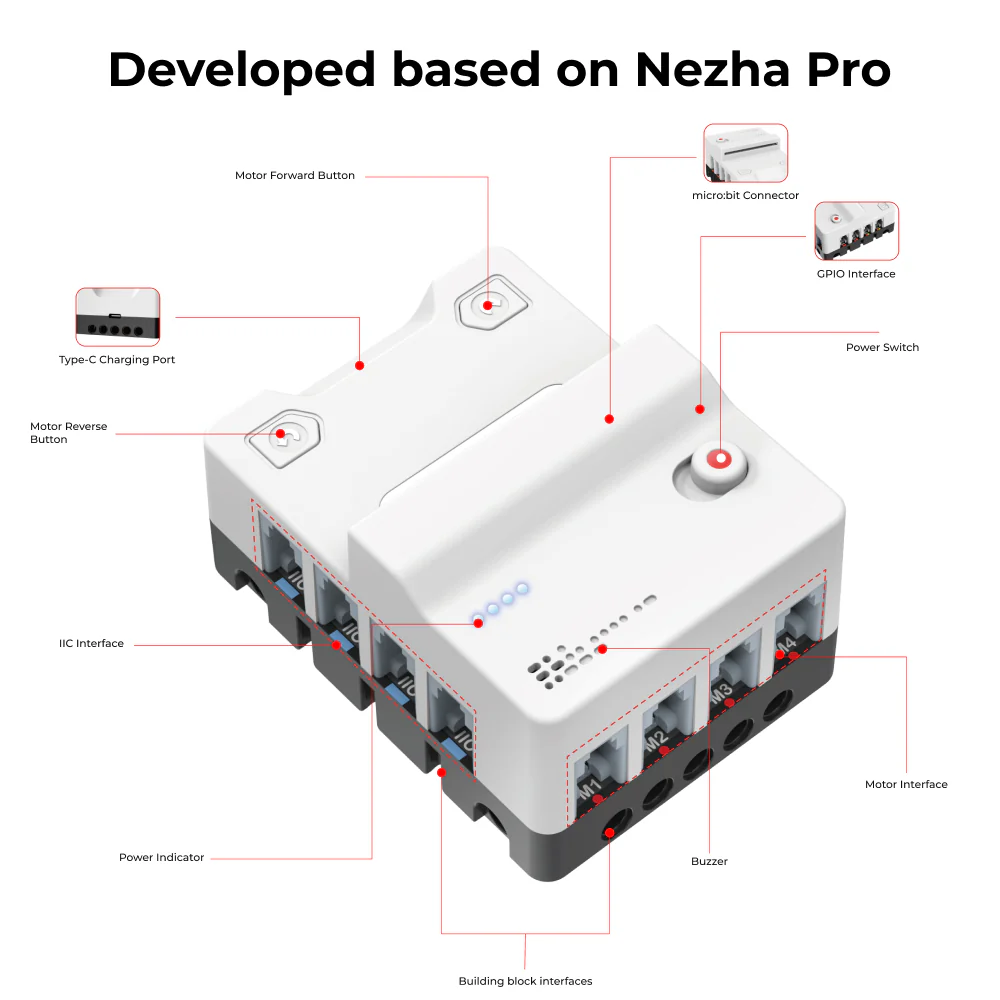
The Nezha Breakout Board V2 features 8-channel sensor interfaces and 4-channel closed-loop motor interfaces — all unified with RJ11 connectors and a color-coding recognition system to prevent incorrect connections. Additional features include masterless mode for button-controlled motors, a physical toggle power switch, four-light battery indicator, USB Type-C fast charging (fully charged in 50 minutes), and up to 4 hours of battery life.
The PlanetX Smart Brick Motor merges high-precision servo control with high-efficiency motor performance. Featuring ≥29 N·cm stopping torque, ≤3° positional repeatability, and 125 rpm no-load speed, it delivers professional-grade performance in a student-friendly form factor. Built-in triple protection (temperature monitoring, stall detection, and voltage protection) keeps both students and components safe during extended sessions.
PlanetX is a series of sensor combinations developed by the ELECFREAKS team specifically for primary and secondary schools. Each sensor is compatible with building block structural components, features a color recognition system for easy pairing, and connects via standardized RJ11 connectors. The kit includes 7 sensors covering UV intensity, ultrasonic distance, line following, soil moisture, temperature & humidity, OLED display, and WiFi — enabling genuine scientific data collection and analysis.
Product Gallery
Real builds, real classrooms, real space missions.


What's in the Box
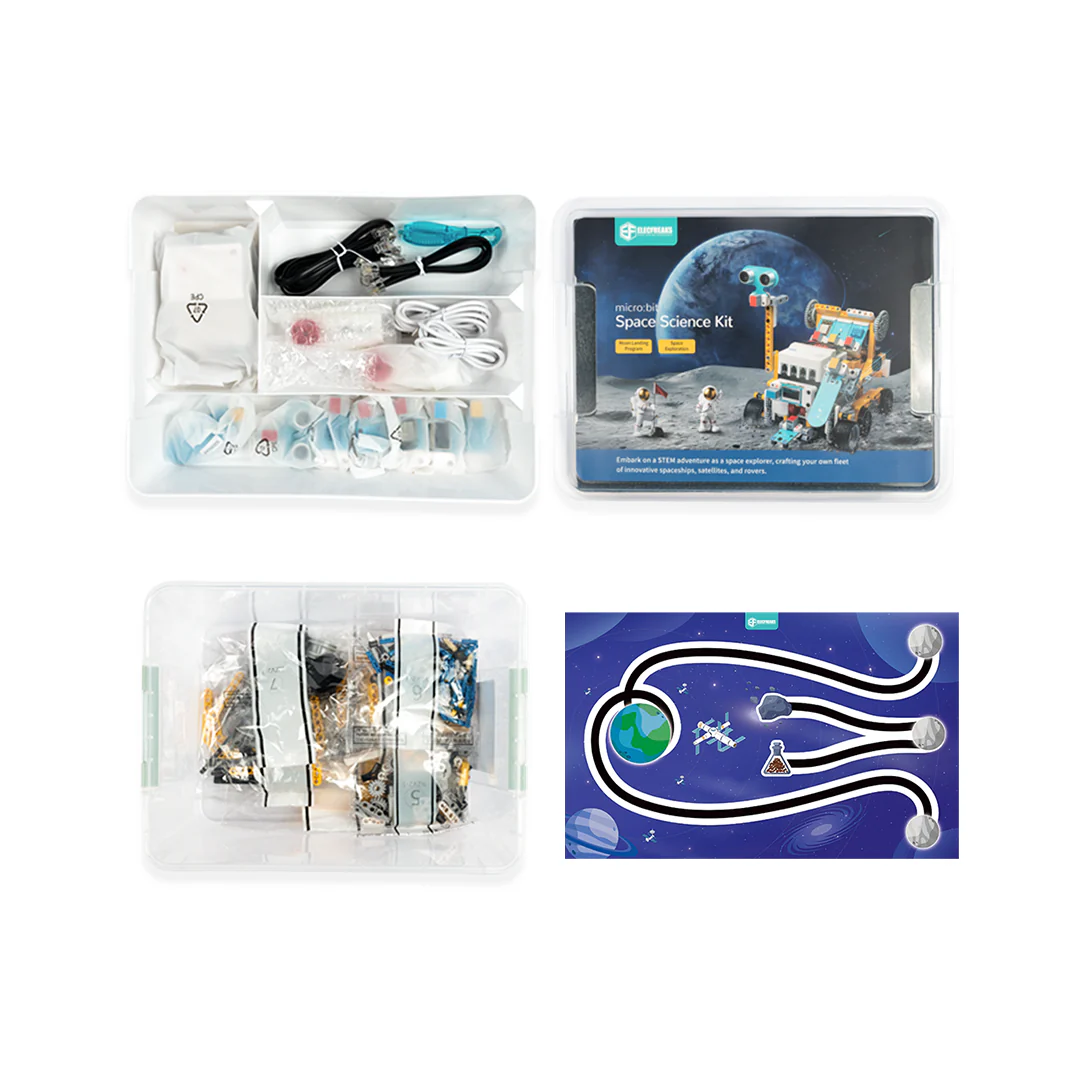
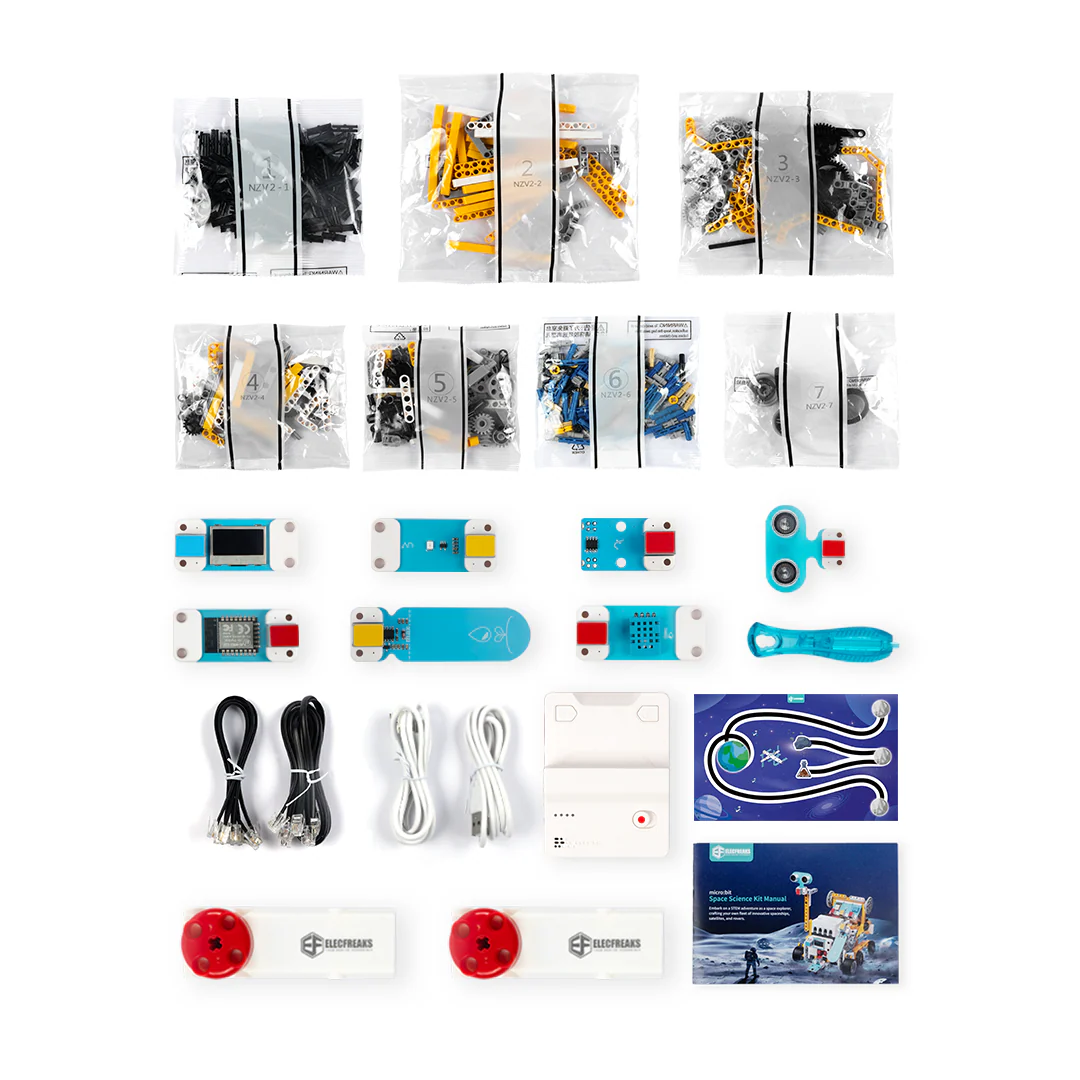
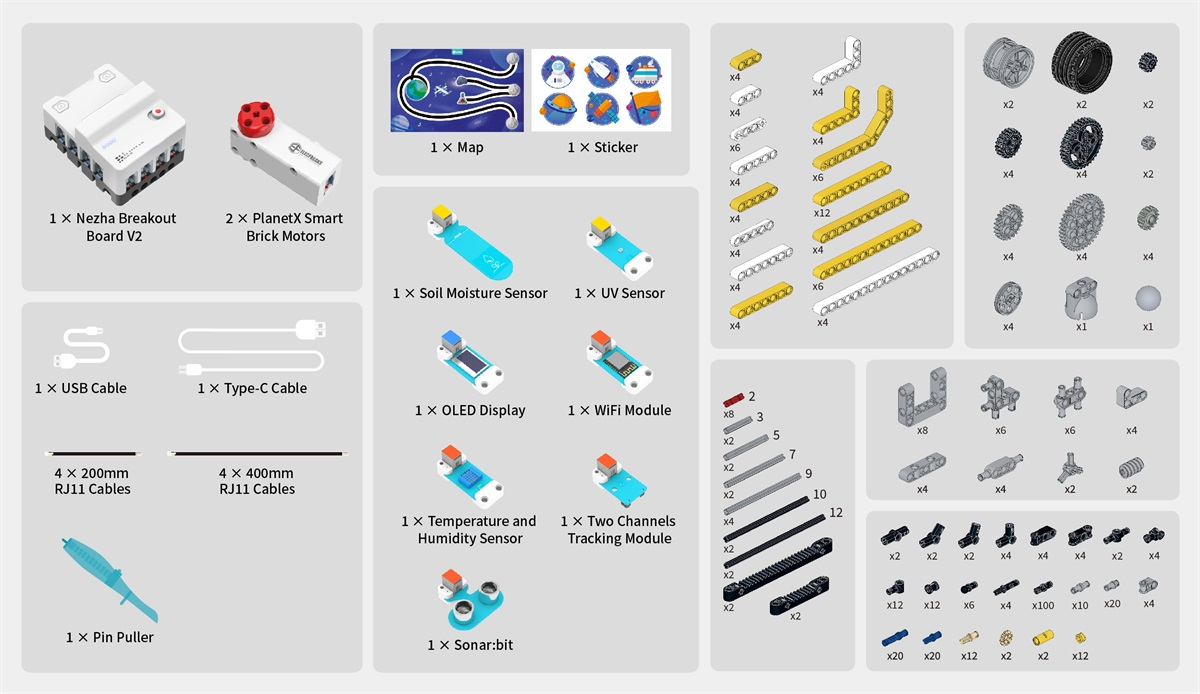
Every micro:bit Space Science Kit (EF08413) ships with a complete set of components. Upon receipt, verify that the package is intact, labels match your order, and all accessories are present.
| Nezha Breakout Board V2 | ×1 |
| PlanetX Smart Brick Motor | ×2 |
| PlanetX WiFi Module | ×1 |
| PlanetX UV Sensor | ×1 |
| PlanetX Line Tracking Sensor | ×1 |
| PlanetX Ultrasonic (Sonar:bit) | ×1 |
| PlanetX Soil Moisture Sensor | ×1 |
| PlanetX Temperature & Humidity Sensor (DHT11) | ×1 |
| PlanetX OLED Display | ×1 |
| Moon Landing Scenario Map | ×1 |
| ABS Building Blocks Pack (400+ pieces) | ×1 |
| RJ11 Cables (various lengths) | Included |
| USB Type-C Charging Cable | ×1 |
| Instruction / Quick Start Guide | ×1 |
Core Components
A detailed look at the key hardware components that make the Space Science Kit the most capable building block kit for space STEAM education.
The Nezha Breakout Board V2 is the intelligent hub of every Space Science Kit build. Designed specifically for primary and secondary school students, it simplifies creative programming while supporting advanced capabilities. The unified RJ11 connector system with color-coding eliminates wiring errors, making it ideal for independent student use from day one.
The PlanetX Smart Brick Motor is an integrated servo and motor intelligent control unit developed for educational building block systems. It merges high-precision servo control accuracy with high-efficiency motor performance, delivering professional-grade actuation in a compact, building-block-compatible form factor. Included in this kit at quantity ×2.
PlanetX Sensors
PlanetX is a series of sensor combinations developed by the ELECFREAKS team specifically for primary and secondary schools. Each sensor is building-block compatible, uses a color recognition system for easy port matching, and connects via standardized RJ11 connectors — no soldering, no confusion.
The Space Map
The included scenario map simulates the complete lunar mission trajectory — from launch of the lunar rocket, operation in low Earth orbit, lunar orbit insertion, moon landing operations, and return. It also covers International Space Station missions and data sharing scenarios for a full aerospace science curriculum.
Quick Start
The kit is designed to get students building and programming as quickly as possible — no prior experience required.
Why It Works
Every component is engineered for the classroom — durable, intuitive, and designed to support progressive learning from first build to advanced programming.
The Story Behind the Kit
Every decision — from the scenario map to the smart motor specifications — was made with one goal: to put the excitement of real space exploration into the hands of every student.
Technical Specifications
| Model Number | EF08413 |
| Target Age | 10+ (Grades 4–8) |
| Programming Platforms | MakeCode (Block), MicroPython |
| Electronic Modules | 10 modules included |
| Building Blocks | 400+ ABS plastic bricks |
| Project Cases | 8+ guided projects |
| Package Dimensions | 320 mm × 245 mm × 145 mm |
| Package Weight | 5 kg |
| micro:bit Compatibility | micro:bit V2 (not included) |
| Battery Capacity | 900 mAh / 6.66 Wh |
| Charging Voltage | 5 V (USB Type-C) |
| Charging Current | 3 A |
| Charging Time | ~50 min |
| Max Working Voltage | 8.4 V |
| Rated Working Voltage | 7.4 V |
| Min Working Voltage | 6.4 V |
| Standby Current | 0.01 A |
| micro:bit Supply Voltage | 3.3 V |
| Motor Output Voltage | 6.4 – 8.4 V |
| Motor Rated Current | 1 A (max 2 A) |
| Sensor Output Voltage | 3.3 V |
| Sensor Max Current | 1 A per port |
| Motor Connectors | 4 × RJ11 |
| Sensor Connectors | 8 × RJ11 |
| Dimensions (excl. micro:bit) | 80 × 60 × 44 mm |
| Weight (with battery) | 142 g |
| Product Name | Smart Building Block Motor, Planetary Series |
| Operating Voltage | 5.0 – 9.0 V |
| No-load Speed | 125 rpm |
| Stopping Torque | ≥ 29 N·cm |
| Positional Repeatability | ≤ 3° |
| Operating Angle | 360° × N (continuous) |
| Connector | RJ11 |
| Speed Reading | Supported |
| Angle Reading | Supported |
| Temperature Protection | Supported |
| Stall Protection | Supported |
| Voltage Protection | Supported |
| Building Block Interface | Compatible |
| Color Recognition System | Supported |
| Weight | 31 g |
Learning Outcomes
Through eight progressively challenging projects and six lunar mission phases, students build a comprehensive portfolio of STEAM competencies.
Cases Library
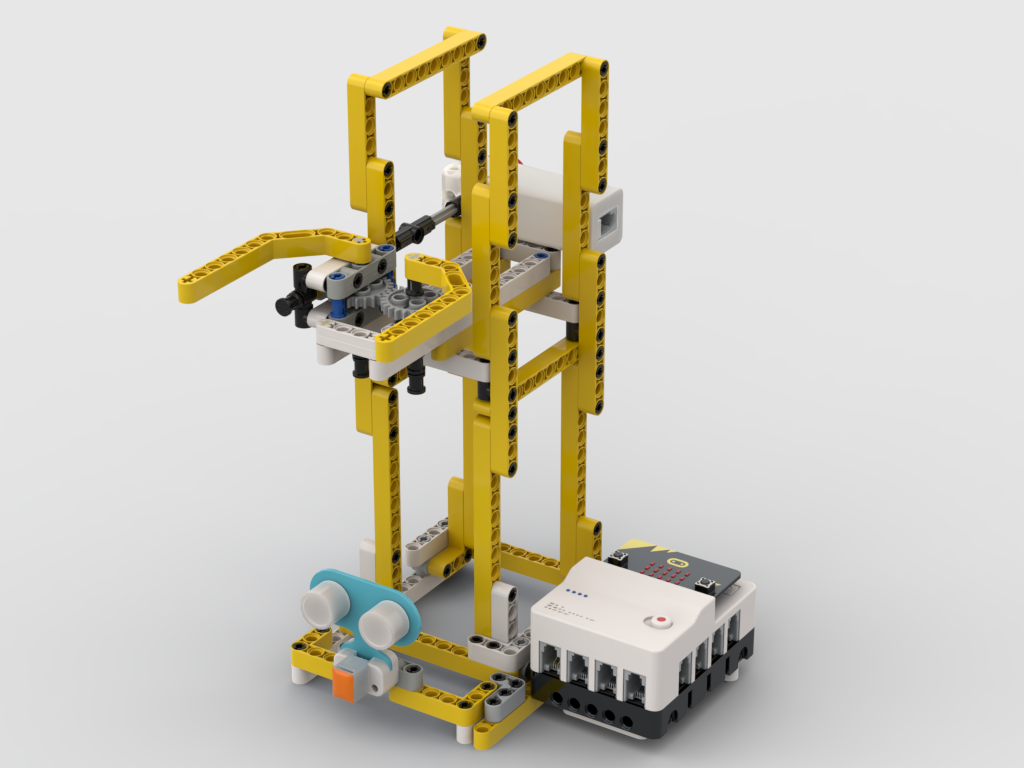
From rocket launchers to space stations — each case guides students through hands-on construction, programming, and collaborative challenges across a complete lunar mission scenario.
This course is designed to introduce students to graphical programming and rocket launch pads. Students will learn how to write programmes to control the launch pad operation using the micro:bit Space Science Kit.
This course is designed to introduce students to the components of a moon landing rocket and the knowledge associated with its operation in near-Earth orbit. Students will use the micro:bit Space Science Kit to learn how to write a programme to control the operation of the Moon Landing Rocket.
The purpose of this course is to introduce students to the components of the Lunar Landing Rover and the knowledge associated with its operation in a lunar entry glide path. Students will use the micro:bit Space Science Kit to learn how to write a programme to control the operation of the Lunar Landing Rover.
This course is designed to introduce students to the components of a lander and the landing process. Students will learn how to write programmes to control the operation of the lander using the micro:bit Space Science Kit.
The purpose of this lesson is to introduce students to the components of the Lunar Exploration Vehicle and the knowledge associated with performing missions on the Moon. Students will use the micro:bit Space Science Kit to learn how to write a program to control the operation of the rover.
The purpose of this course is to introduce students to the components of the Return Vehicle and the knowledge associated with performing missions on the Moon. Students will use the micro:bit Space Science Kit to learn how to write a program to control the operation of the return vehicle.
The purpose of this lesson is to introduce students to the components of a space station and the knowledge associated with performing missions on the Moon. Students will learn how to write a program to control the operation of the space station using the micro:bit Space Science Kit.
The purpose of this course is to introduce students to the components of a space experiment and the knowledge associated with performing a mission on the Moon. Students will use the micro:bit Space Science Kit to learn how to write a program to control the operation of a space experiment.
Contact us for pricing, curriculum alignment guides, professional development support, and volume pricing for schools and districts.