Elecfreaks · micro:bit Smart Car Series
Smart Car & Autonomous Driving

TPBot Car Kit

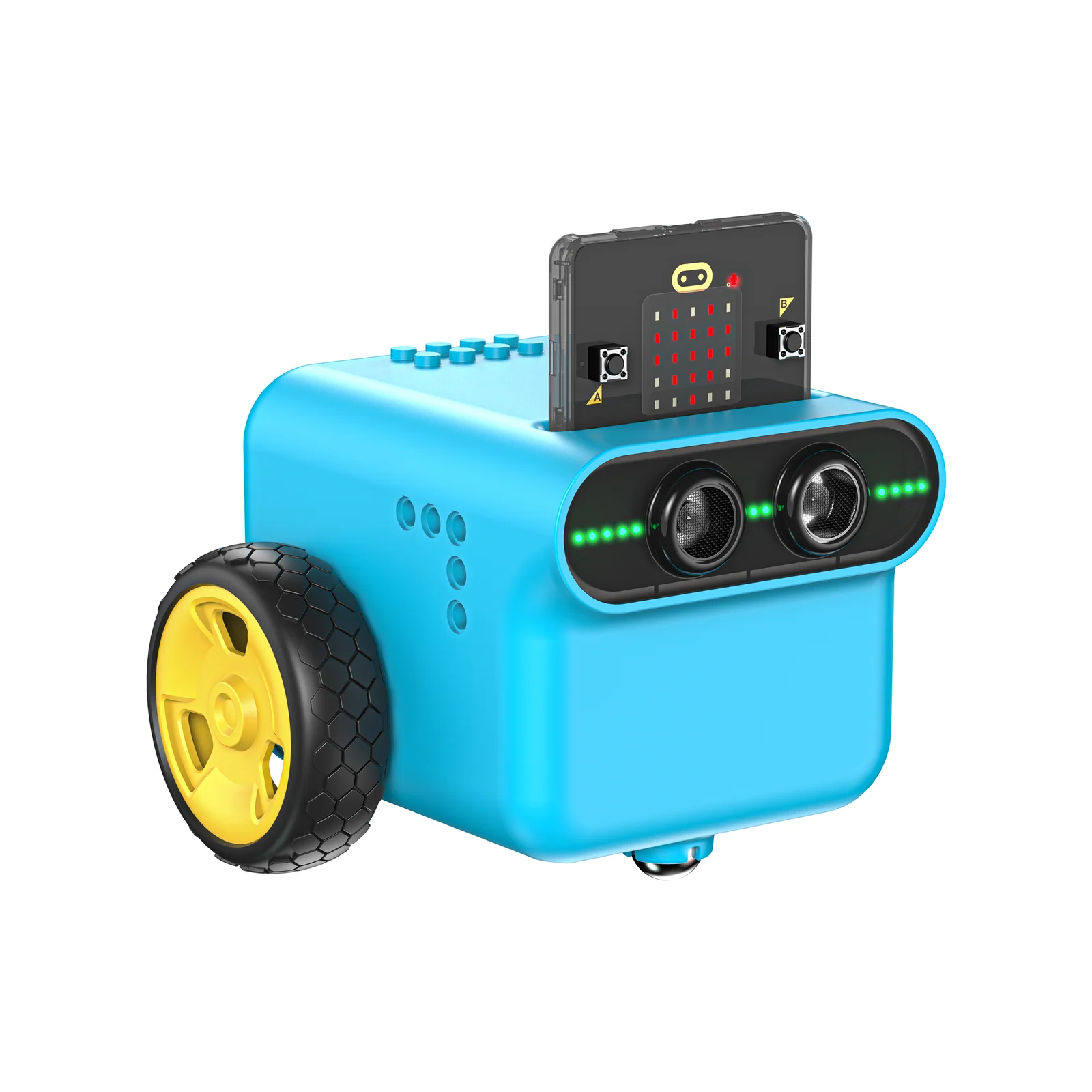
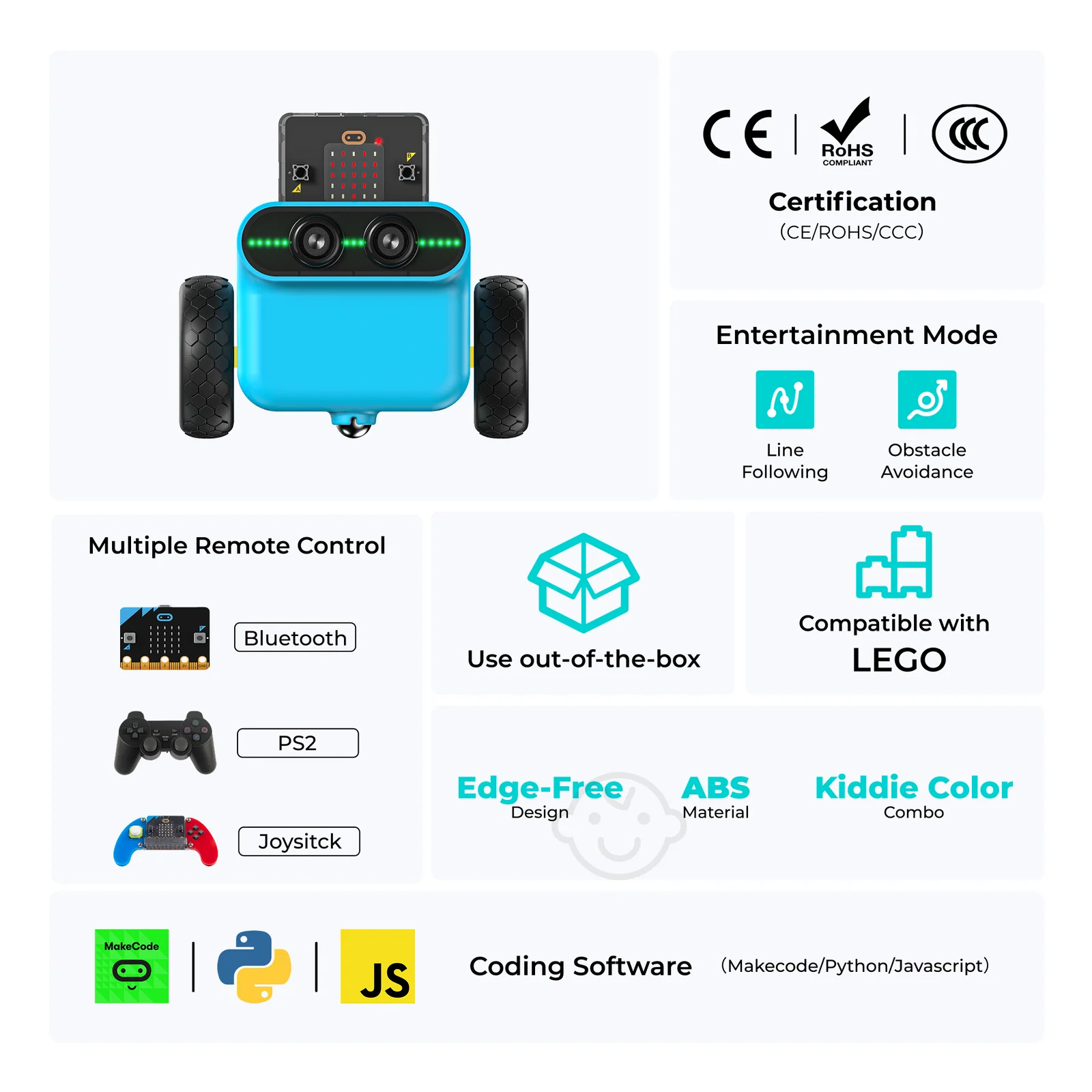
A smart coding car for micro:bit that works both as a standalone toy and a powerful classroom teaching aid. Featuring preset line-tracking and obstacle-avoidance modes, RGB LED headlights, servo expansion ports, and full LEGO brick compatibility — students move from play to programming in minutes.

🚗 14 Guided Cases ⚡ Works Without micro:bit 💡 RGB LED Headlights 🎓 Grades 3–8
Request a Quote →
14
Cases
2
Auto Modes
LEGO
Compatible
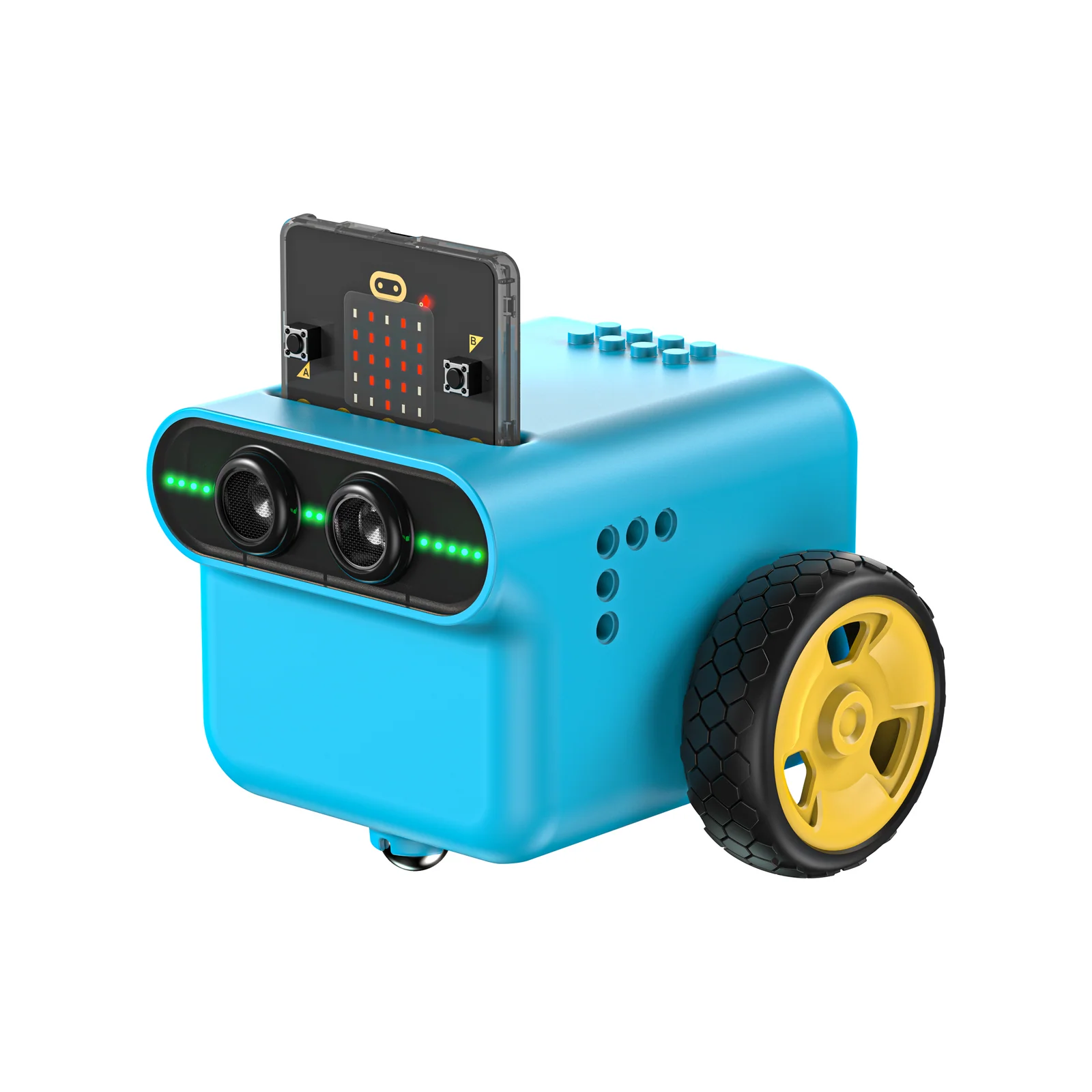
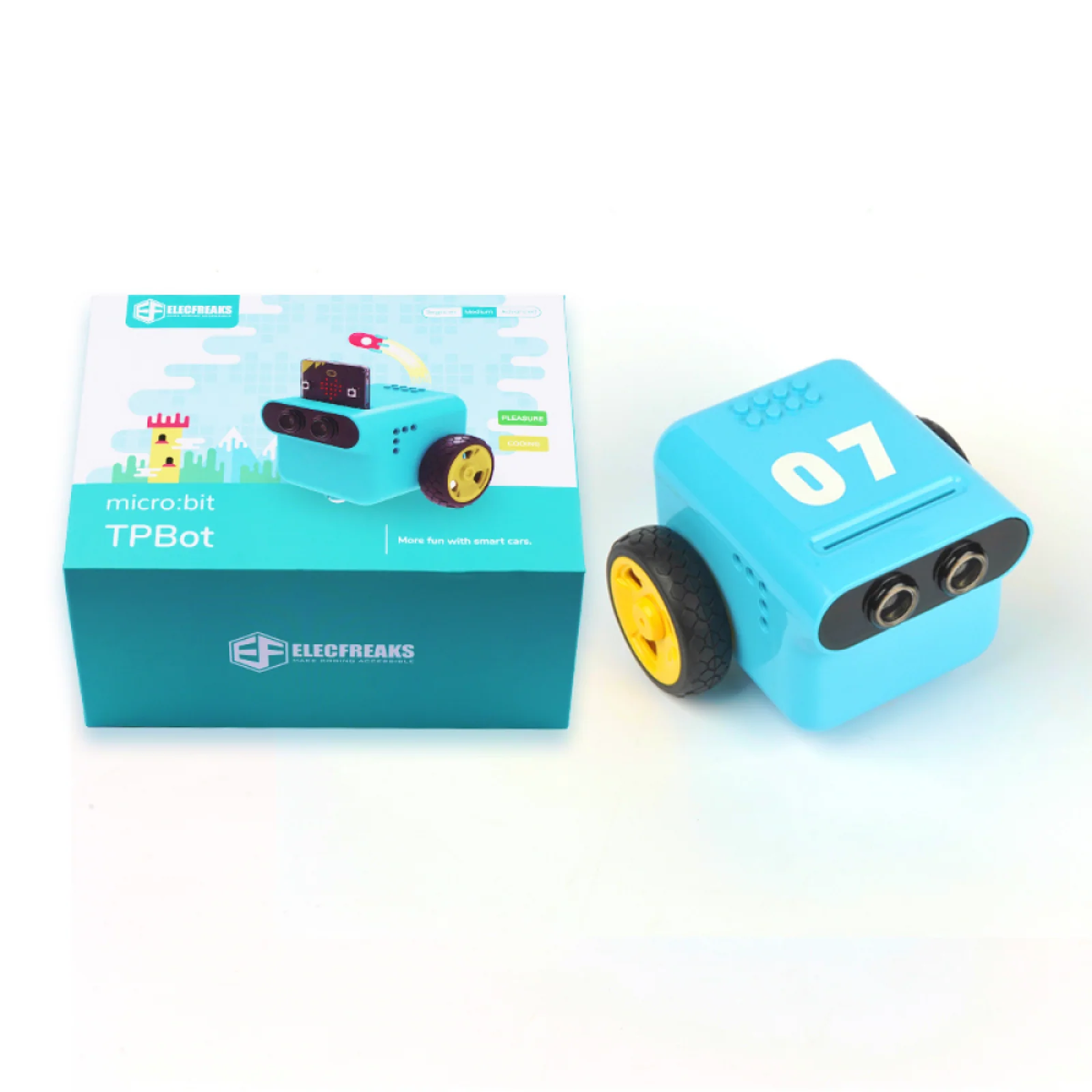
TPBot Car Kit
TPBot Car Kit — classroom coding
TPBot Car Kit — accessory bundles

Toy Today, Teaching Aid Tomorrow

The TPBot Car Kit bridges the gap between play and programming. Out of the box it drives, tracks lines, and avoids obstacles on its own — no micro:bit needed. Connect a micro:bit and 14 structured projects unlock the full potential of block-based and Python coding.

🚗
Standalone Entertainment Mode
Powers on in line-tracking and obstacle-avoidance mode without inserting a micro:bit — ideal for instant demonstrations, peer challenges, and engaging students before formal programming begins.
🤖
14 Progressive Coding Cases
From basic motor control to multi-sensor fusion, each case introduces a new concept and builds on the last — developing both programming fluency and systems-thinking skills.
🏗
LEGO Brick Compatible
A LEGO-compatible chassis means students can creatively extend the TPBot with custom builds — integrating structural design challenges alongside coding projects.
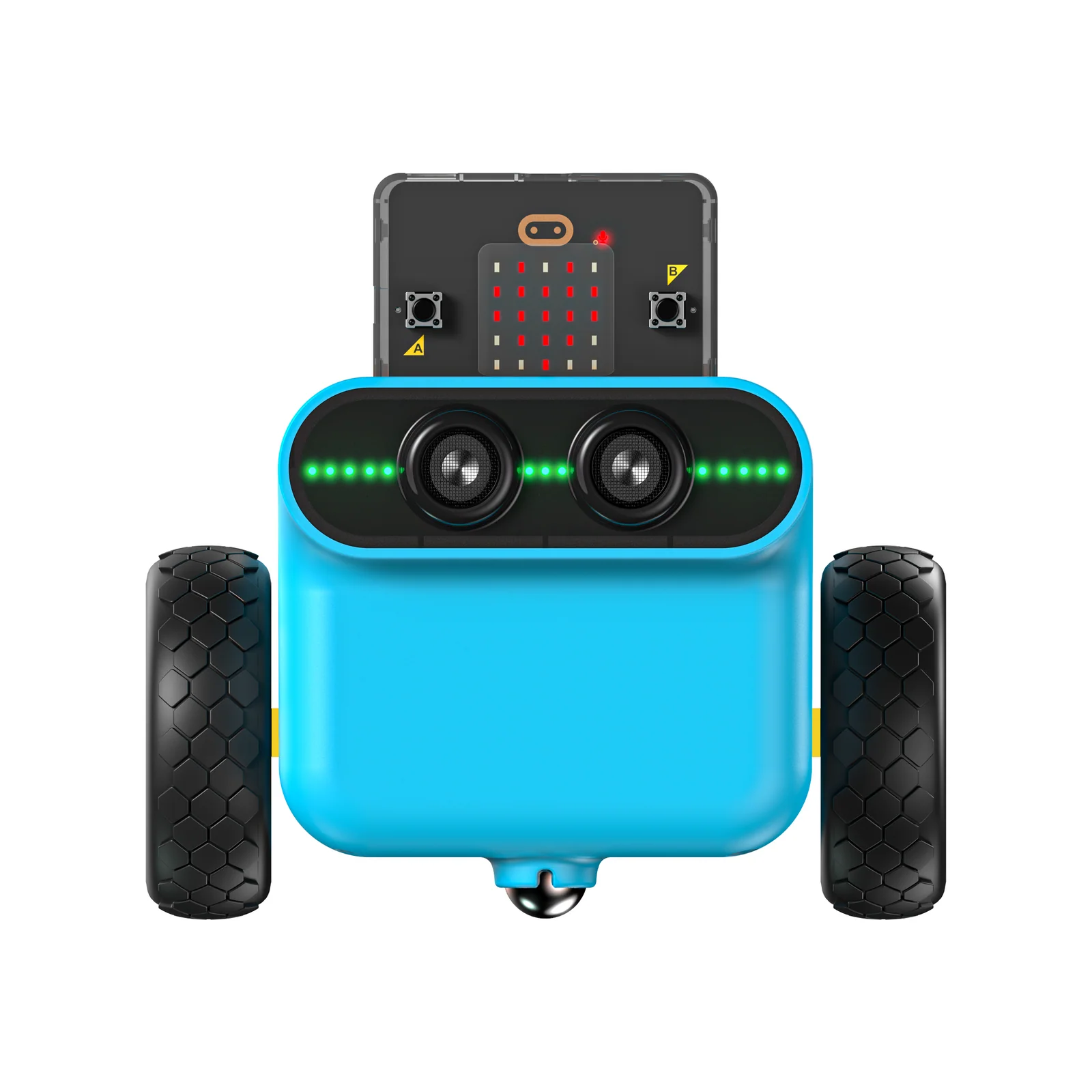
TPBot Car Kit — product shot
TPBot Car Kit — features overview
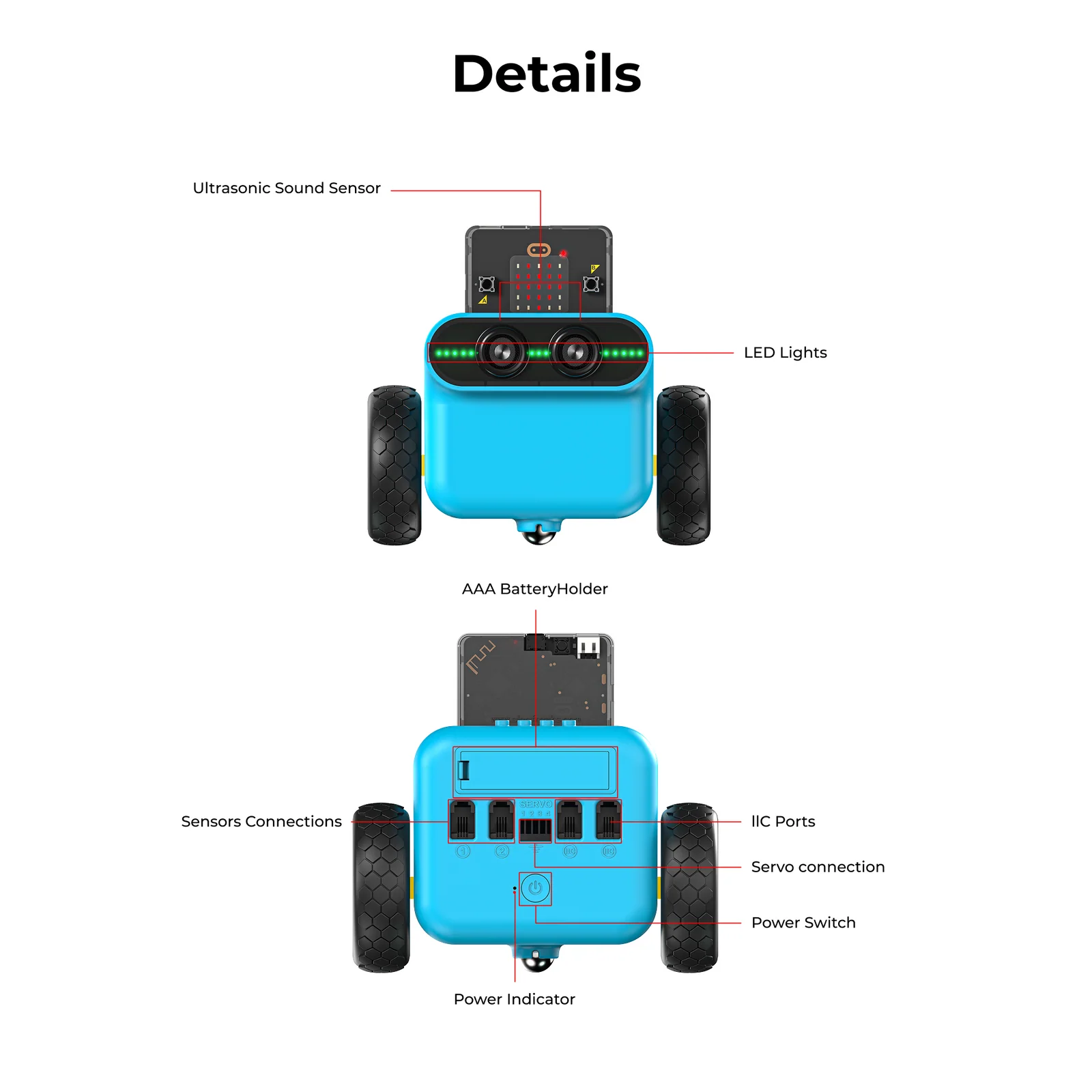
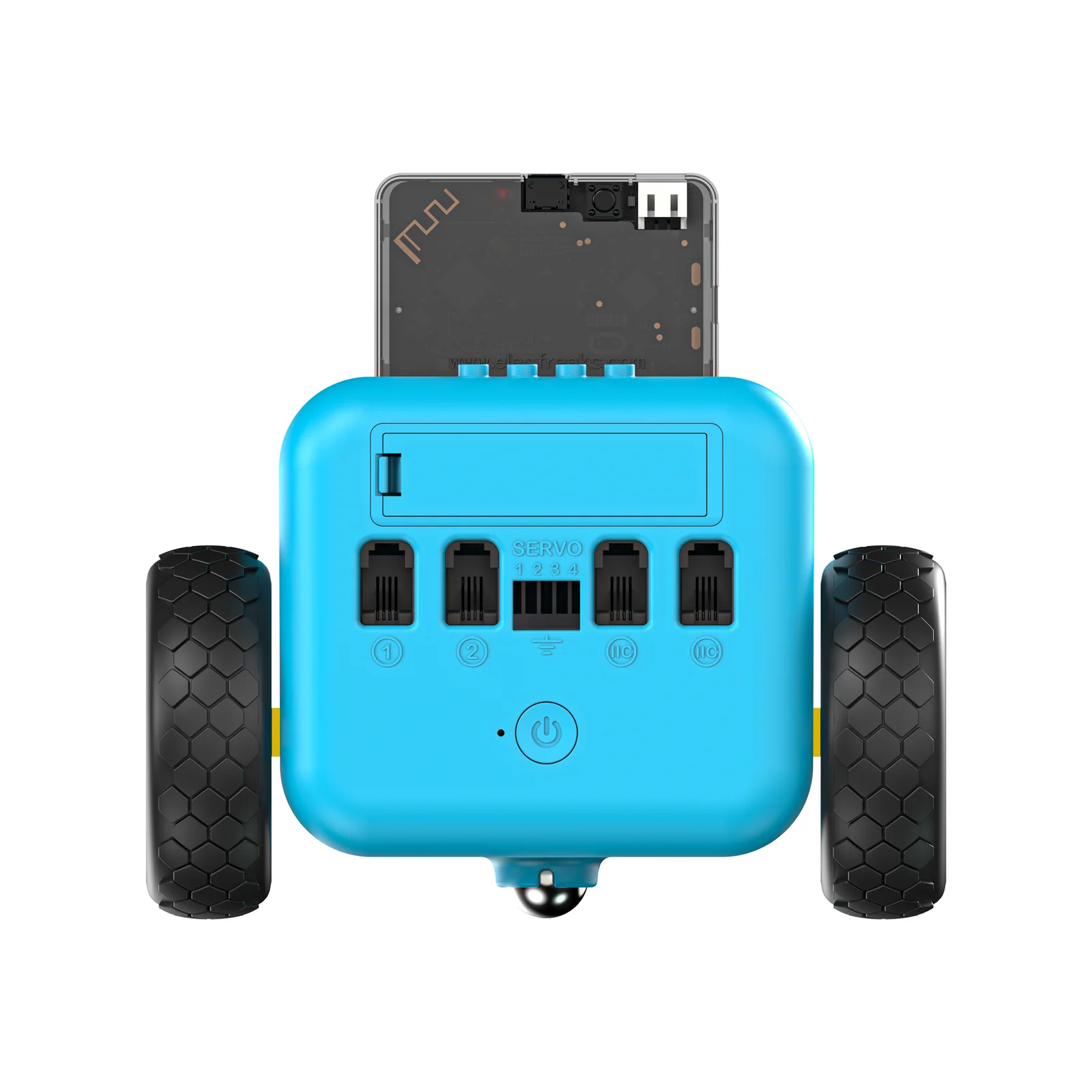
TPBot Car Kit — hardware details

Purpose-Built for STEAM Learning

Every design decision — from the servo expansion ports to the LEGO-compatible shell — removes friction so students spend more time learning and less time troubleshooting.

Zero-Setup Standalone Mode
The TPBot works out of the box without a micro:bit. Rainbow LEDs indicate mode; red headlights activate upon obstacle detection — making it instantly usable and engaging for all skill levels.
⎯️
Line-Tracking Sensor
Onboard line-tracking sensors detect contrast on the included map — enabling students to program autonomous path-following behavior and explore real logistics and warehouse robotics concepts.
🔋
Ultrasonic Obstacle Avoidance
Built-in ultrasonic distance sensing enables the TPBot to detect and navigate around obstacles automatically — mirroring a fundamental capability of every real self-driving vehicle.
💡
RGB LED Headlights
Programmable full-color RGB LED headlights let students build light-control projects — from automatic ambient-responsive lights to police car simulations and custom color effects.
🏗
LEGO-Compatible Design
A LEGO-compatible chassis lets students attach bricks and custom builds directly to the car — combining structural design with coding for truly cross-disciplinary STEAM projects.
🔌
Servo Expansion Ports
Two servo connectors with clearly marked ground-wire orientation allow easy, damage-free sensor and actuator expansion — extending the platform for more advanced projects without expertise.

What Powers the TPBot

A fully integrated hardware platform — from autonomous sensors to LEGO-compatible chassis — gives students a complete smart car to explore and extend.

Sensing
Line-Tracking & Ultrasonic Sensors
Dual onboard sensors cover two of the most important autonomous driving fundamentals: line tracking for path-following and ultrasonic sensing for obstacle detection and distance measurement.
Line SensorOnboard (black-line detection)
Distance SensorUltrasonic (obstacle avoidance)
Standalone ModeLine-tracking + obstacle-avoidance
LED IndicatorRed headlights on obstacle detect
Lighting
RGB LED Headlights
Programmable full-color RGB LED headlights enable a wide range of light-control projects — from automatic ambient lighting to emergency vehicle simulations and color-coded status indicators.
TypeFull-color RGB LEDs
Default ModeRainbow breathing (standby)
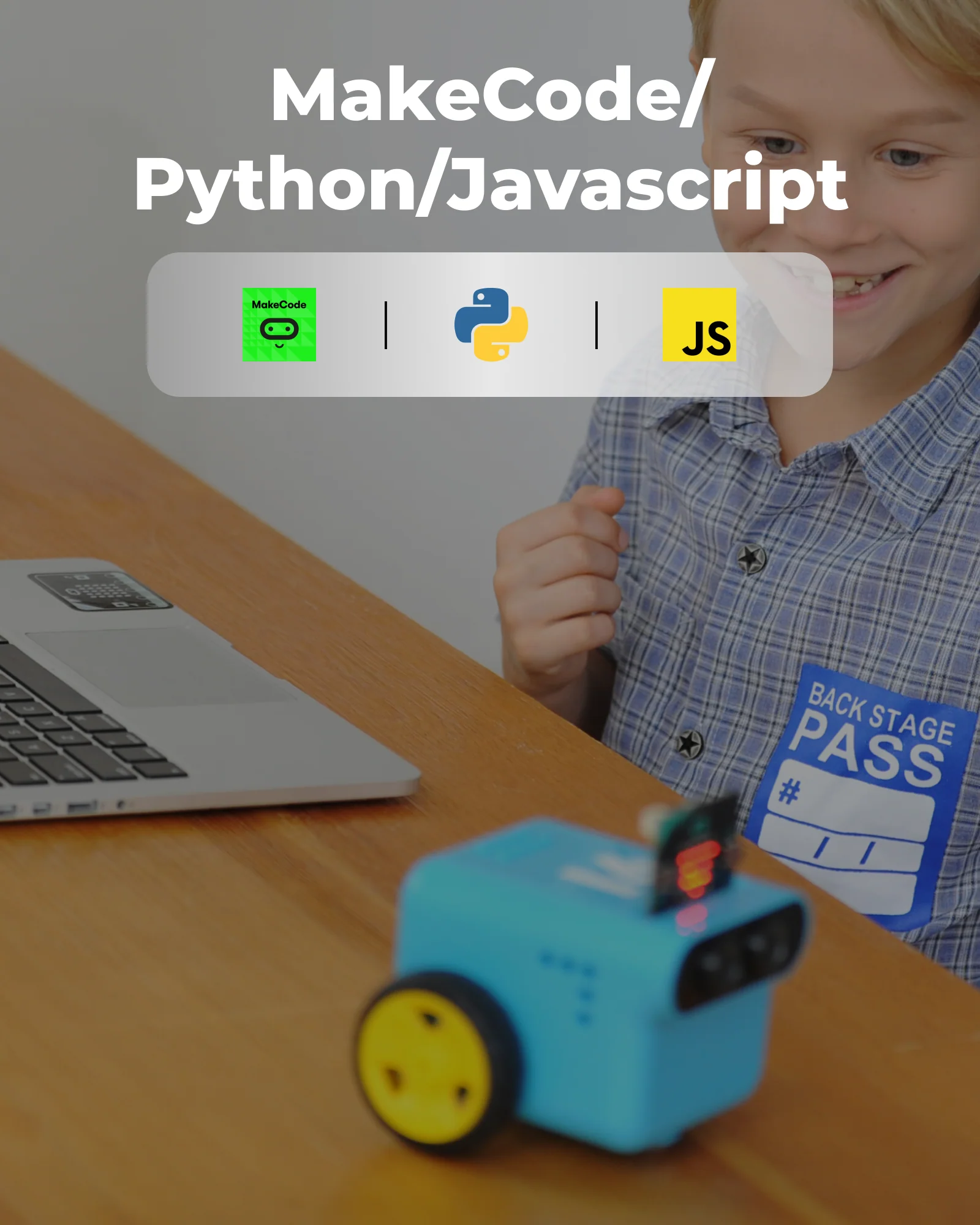
ProgrammingMakeCode / MicroPython
ControlIndividual color & brightness
Expansion
Servo Connectors & LEGO Interface
Two servo expansion ports (ground wire at bottom) allow easy actuator and sensor additions. The LEGO-compatible chassis accepts standard bricks for custom structural builds alongside coding projects.
Servo Ports2× servo connectors
OrientationVertical insertion, GND at bottom
LEGO Compat.Standard LEGO bricks
Controllermicro:bit (not included)
Power
AA Battery Power System
Powered by four standard AA batteries for straightforward classroom management — no charging cables needed, and batteries are easily replaceable mid-session without interrupting the lesson.
Battery Type4× AA (included)
RequiresNo charging cable
ReplacementStandard AA (widely available)
OperationStandalone or with micro:bit

What's in the Box

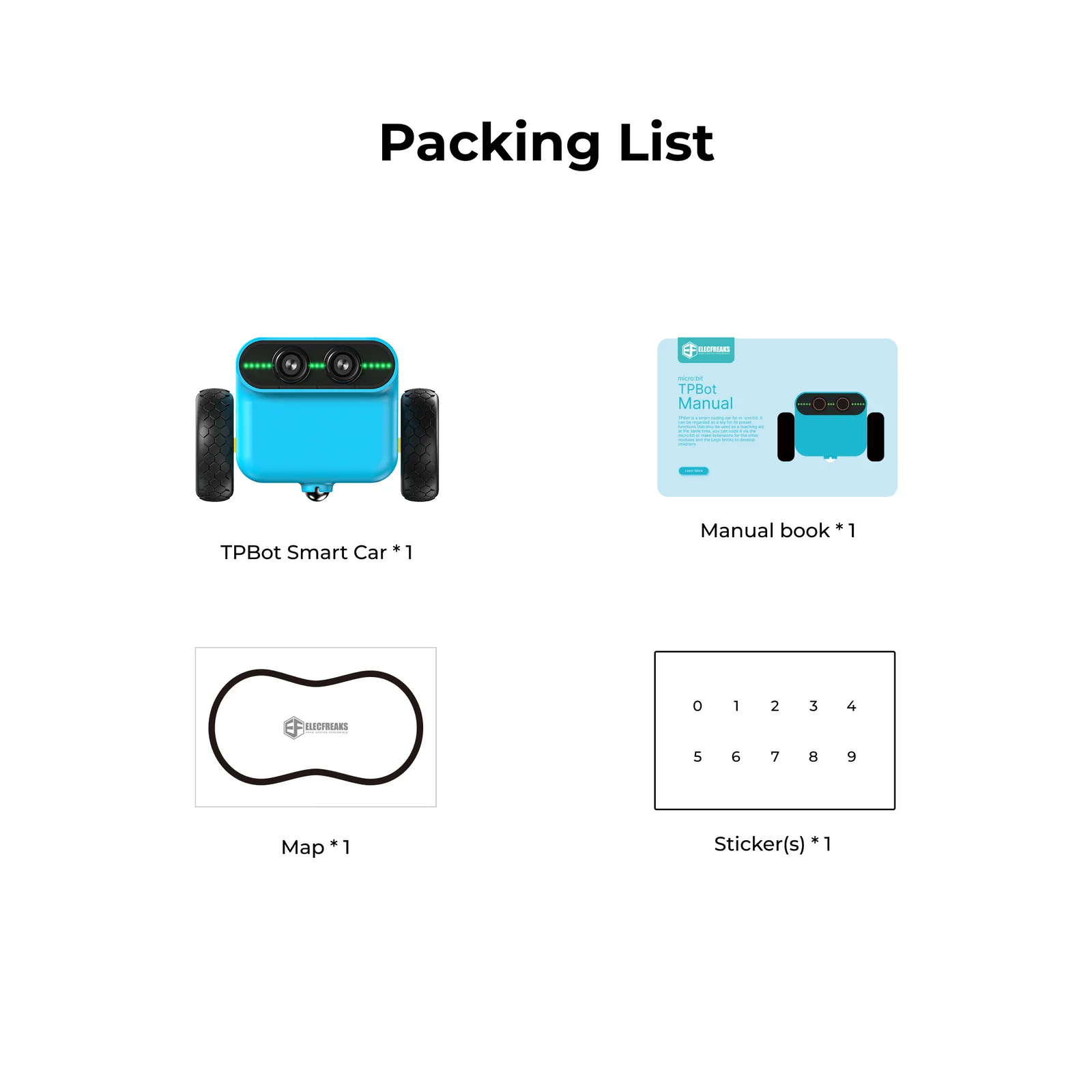
Everything needed to start line-tracking, obstacle-avoiding, and programming right away. micro:bit sold separately.

🚗
TPBot Smart Car
× 1
📌
Map (Track Sheet)
× 1
🏭
Stickers
× 1
AA Batteries
× 4
📚
Manual Book
× 1
🤖
micro:bit
Not Included

Full Specification Sheet

Detailed specifications for the TPBot Car Kit (SKU: EF08230).

Hardware & Sensors
SKUEF08230
Controllermicro:bit (not included)
Drive SystemDual DC Motors (differential drive)
Line SensorOnboard line-tracking sensor
Distance SensorOnboard ultrasonic sensor
LightingRGB LED headlights (full-color)
Expansion2× servo connectors
ChassisLEGO brick compatible
Power & Operation
Battery4× AA (included)
Standalone ModeLine-tracking + obstacle-avoidance
Standby IndicatorRainbow breathing LEDs
Obstacle AlertRed headlights activate
ProgrammingMicrosoft MakeCode / MicroPython
Curriculum Cases14 structured projects
Target GradesGrades 3–8

14 Structured Learning Cases

Each case introduces a new concept, builds on previous skills, and ends with a working program students run on their own TPBot.

01
Running Control

Students learn to control the movement of the TPBot via programming. Starting from setting wheel speeds for continuous forward motion, they progress to timed movements and button-triggered control — building the foundational skills all future cases depend on.

Set wheel speeds to control forward motion
Program timed movements using duration-based commands
Implement button-triggered start and pause logic
02
Light Control

Students programme to control the colour of the LED headlights using micro:bit buttons. They build timed light sequences, explore conditional logic for hardware control, and learn how vehicles use lighting systems for signaling and safety.

Control LED headlight colors using button inputs
Implement button-triggered actions including combined button presses
Program timed light sequences with automatic shutdown
03
Line Tracking

Students programme the TPBot to drive along a black line on the included map. They learn how line-tracking sensors detect contrast, implement conditional steering corrections, and explore how autonomous vehicles and warehouse robots use line-following navigation.

Understand how line-tracking sensors detect black lines
Program conditional logic based on sensor input
Control individual wheel speeds to navigate along a path
04
Obstacle-Avoidance Driving

Students programme the TPBot to detect and navigate around obstacles automatically. The car monitors ultrasonic distance readings, stops with visual feedback when an obstacle is within 15 cm, then reverses and turns — mirroring a core capability of real self-driving vehicles.

Understand the working principle of ultrasonic distance sensors
Implement obstacle detection with conditional motor response
Program reverse and turn maneuvers to navigate clear of obstacles
05
Automatic Lamp

Students programme the TPBot to turn on its headlights automatically in darkness. They develop programs that respond to environmental light conditions using conditional logic — exploring how real vehicles use ambient light sensors for intelligent, automated lighting systems.

Detect ambient light levels and respond programmatically
Implement conditional logic to activate lights below a light threshold
Integrate movement control with automatic lighting functionality
06
Drive at Random

Students programme the TPBot to drive at random by assigning randomised speed values to each wheel motor. The car exhibits unpredictable movement patterns — introducing the concept of randomisation in programming and how it can create emergent, lifelike behavior in robots.

Understand and apply randomisation in programming
Implement random speed values (−100 to 100) for both wheel motors
Observe how randomisation produces unpredictable movement patterns
07
Here Comes the Police

Students programme the TPBot to simulate a police car — driving forward while alternating headlights between red and blue with timed delays. The project connects programming to real-world context and builds skills in coordinating motion, lighting, and timing logic simultaneously.

Control forward motion while simultaneously managing LED output
Implement alternating light color effects using timing delays
Coordinate multiple hardware outputs in a single program
08
Parking at a Set Point

Students programme the TPBot to detect a designated stopping location and halt automatically using its line-tracking sensors. The case connects to real-world automated parking systems and reinforces the use of sensor feedback to trigger precise, conditional robot actions.

Program conditional logic using line-tracking sensor input
Implement a stopping mechanism triggered by sensor detection
Use continuous monitoring loops to achieve precise positioning
09
Seeking Light

Students programme the TPBot to head toward a light source — detecting light intensity and adjusting motor behavior accordingly. The car drives forward toward the light, or moves in a search pattern when no light is found, introducing sensor-guided navigation concepts.

Program light-detection and conditional motor responses
Implement directional control based on sensor intensity readings
Design a search behavior when the target signal is absent
10
Fall-Arrest TPBot

Students place black tape along table edges and programme the TPBot to detect it, reverse for one second, then turn and continue forward — preventing falls. The case teaches a practical safety application of sensor-driven conditional logic in robotics design.

Apply conditional logic to a real-world safety scenario
Program reverse and turn sequencing to prevent table-edge falls
Understand how sensor feedback creates autonomous safety behaviors
11
Following with a Fixed Distance

Students programme the TPBot to follow another car while maintaining a set distance. The car continuously monitors distance and applies three-state decision logic — stop, move forward, or reverse — to maintain the target gap, mirroring real adaptive cruise control technology.

Use distance sensors to monitor the position of a car ahead
Implement three-state decision logic: stop, forward, reverse
Adjust motor speed dynamically based on measured distance
12
The Shy TPBot

Students create a TPBot that adjusts its driving speed according to ambient sound levels using micro:bit's built-in microphone. Louder environments produce faster movement; quieter environments slow the car — connecting real-time environmental sensing to dynamic motor control.

Detect ambient sound levels using micro:bit's built-in microphone
Map sound intensity values to motor speed control
Build a real-time environmental sensor-to-actuator feedback loop
13
Line-Following & Obstacle-Avoidance

Students combine two previously learned behaviors — line-following and obstacle detection — into a single integrated program. The TPBot drives along a black line and stops automatically when an obstacle is detected, demonstrating multi-sensor autonomous decision-making.

Integrate line-following and obstacle detection in one program
Manage multiple sensor inputs with priority-based decision logic
Build a complete multi-sensor autonomous behavior system
14
Do Not Touch Me

Students create a TPBot alarm system that triggers audio and visual alerts when the car is picked up. Using micro:bit's built-in accelerometer to detect being lifted, the system flashes lights and sounds a buzzer — then deactivates and displays an icon when set back down.

Use the accelerometer to detect physical state changes (lifted vs. resting)
Program audio and visual alert responses to sensor triggers
Build a real-world security application using conditional programming
Add-On Pack Computer Vision

TPBot + AI Lens

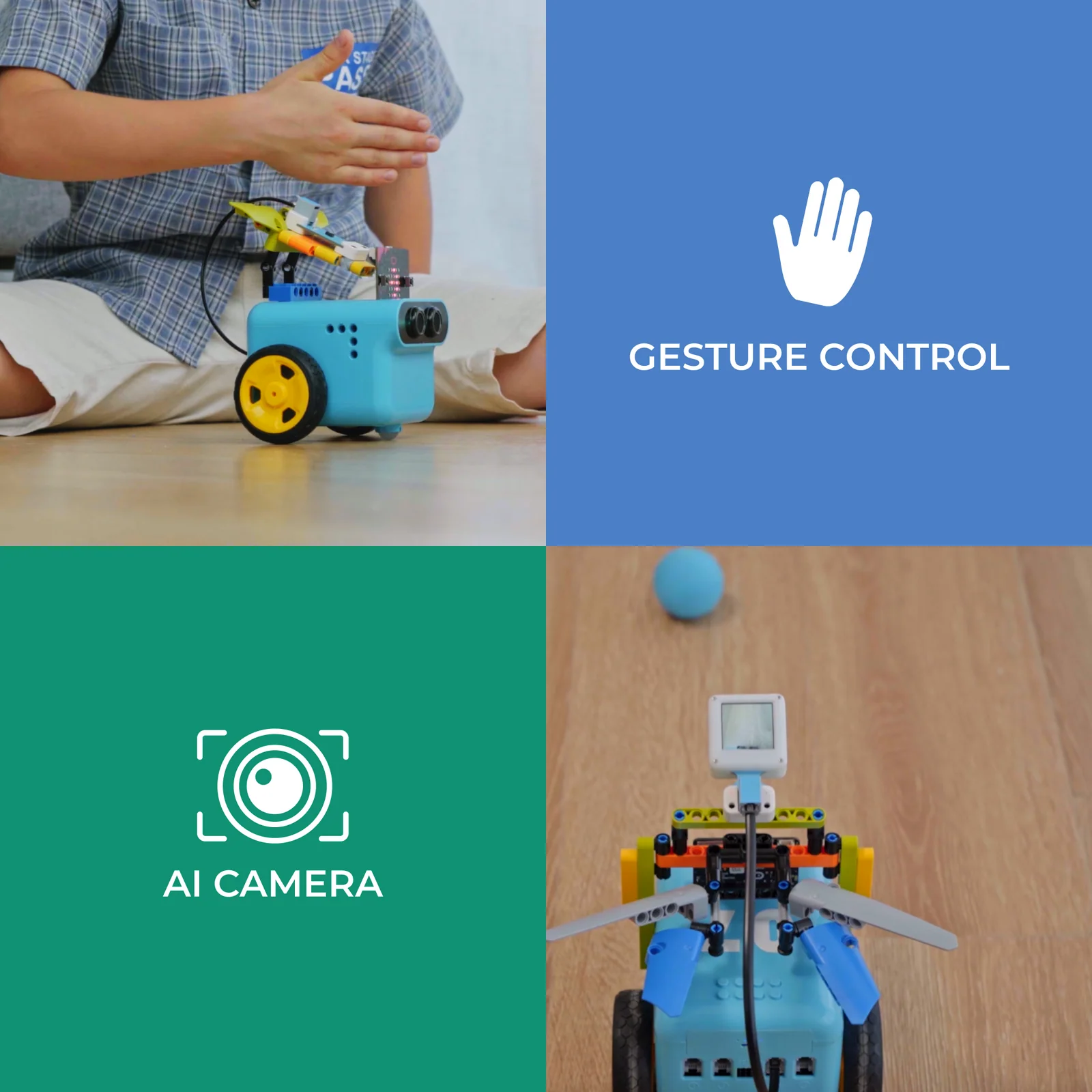
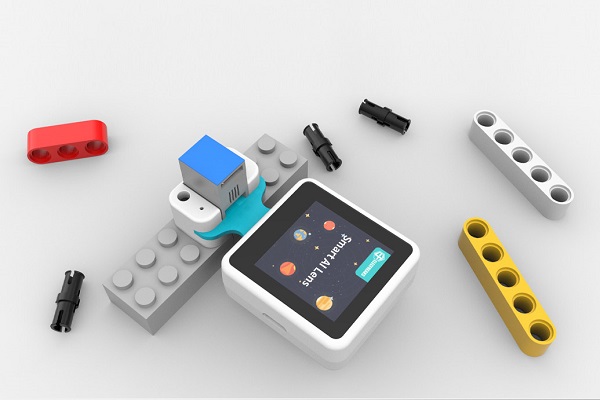
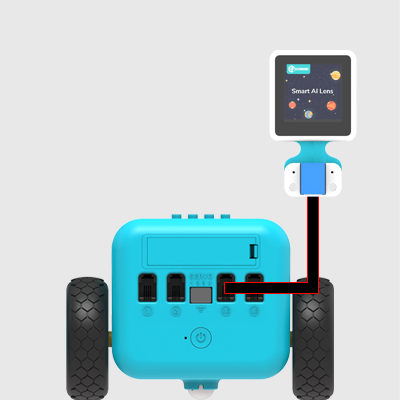
Attach the Smart AI Lens to transform the TPBot into a vision-powered autonomous robot. Students programme card recognition, color detection, ball-tracking, and face-following — exploring the fundamentals of artificial intelligence and machine vision through hands-on coding.

TPBot + AI Lens setup
TPBot + AI Lens in use
01
Road Indicator

Students use the AI Lens to guide the TPBot according to road indicator cards. The car reads visual traffic signals and executes directional commands — forward, left, right, or stop — introducing real-world computer vision and autonomous navigation concepts.

Configure the AI Lens for card recognition and connect it to TPBot
Program conditional logic to execute directional commands from visual input
Understand image buffer management when processing AI Lens data
02
Color Recognition

Students use the Smart AI Lens to detect colors and display the matched color on the TPBot's RGB headlights. By recognising blue, red, green, and yellow, the car becomes a visual feedback system that bridges color science with robotics programming.

Integrate the AI Lens via IIC connection for color recognition
Program headlights to mirror the detected color in real time
Implement conditional logic responding to multiple color inputs
03
Balls Tracking

Students build a ball-tracking car by programming the TPBot to identify a ball's position using the AI Lens and steer toward it. The car uses X/Y coordinate data from the lens to make real-time directional decisions — demonstrating object-tracking AI in action.

Configure AI Lens for ball recognition and extract position coordinates
Implement coordinate-based motor control for directional tracking
Understand X/Y axis decision logic for autonomous steering
04
Face-Tracking

Students build a face-tracking TPBot using the Smart AI Lens for facial recognition. The car continuously monitors detected face coordinates and adjusts motor speeds to keep the face centered — exploring real-time AI-driven autonomy used in cameras, drones, and robots.

Configure the AI Lens for face recognition via IIC port
Program directional steering based on detected face X/Y position
Implement real-time motor speed adjustment to track facial alignment
Add-On Pack Wireless Control

TPBot + Remote Control

Extend the TPBot with three progressive remote control methods — from button-based radio commands to motion-sensing accelerometer control and precision joystick steering. Students explore wireless communication, sensor input, and real-time motor control across three hands-on projects.

01
micro:bit Remote Control

Students programme a two-micro:bit wireless control system — one as a remote transmitter, one as the TPBot receiver. Button presses send radio signals that trigger motor commands, building a complete wireless robotics controller from first principles.

Implement radio communication between two micro:bit devices
Use button inputs to trigger and transmit wireless signals
Apply conditional logic to interpret received data and control motors
02
Accelerometer Remote Control

Students programme the TPBot to be steered by tilting a micro:bit — the built-in accelerometer measures tilt angles and transmits them wirelessly to the car. Tilting the controller forward, back, and sideways translates directly into differential wheel speed commands.

Access and process accelerometer X/Y data from the micro:bit
Scale sensor values to wheel speed commands via radio
Understand differential steering through motion-sensor input
03
Joystick:bit Remote Control

Students use a dedicated Joystick:bit controller to pilot the TPBot wirelessly. The joystick's X/Y values map to directional commands — forward, reverse, left, right, and stop — giving students a precise, intuitive control interface and introducing game-controller-style input processing.

Interpret joystick X/Y coordinate values via radio communication
Map joystick positions to multi-directional motor commands
Integrate multiple MakeCode extension packages in one program
Add-On Pack Sensor Interaction

TPBot + Interactive Coding Accessories Pack

Expand the TPBot with a sensor-rich accessories pack for four engaging interactive projects. Students explore potentiometer speed control, LED light programming, gesture-based navigation, and color-driven behavior — combining multiple sensors and outputs in progressively complex programs.

Speed Adjustable TPBot
01
Speed Adjustable TPBot

Students connect a potentiometer to the TPBot and programme it to dynamically adjust driving speed based on the knob position. Sensor readings (0–1023) are mapped to motor speed values (0–100), introducing analog input processing and real-time variable control in robotics.

Read analog input from a potentiometer and map it to motor speed
Scale sensor values (0–1023) to a usable speed range (0–100)
Apply real-time control principles in a physical robotics system
The Dazzling Lights
02
The Dazzling Lights

Students connect a rainbow LED strip to port 1 and programme the TPBot to simulate police car lights — alternating red and blue patterns (500 ms intervals) triggered by button A while the car drives forward, with button B switching lights off.

Initialize and control an LED strip component through MakeCode
Use button inputs and toggle variables to switch light patterns on/off
Coordinate simultaneous movement and lighting output in one program
Gesture-controlled TPBot
03
Gesture-Controlled TPBot

Students connect a gesture sensor and programme the TPBot to respond to hand movements — driving forward, backward, and turning left or right based on detected gestures. The case introduces touchless human-machine interaction with physical robot control.

Connect and configure a gesture sensor with the TPBot platform
Map physical gestures (up, down, left, right) to motor commands
Build a touchless human-machine interface for robot navigation
Color-controlled TPBot
04
Color-Controlled TPBot

Students use a color sensor to drive TPBot behavior — the rainbow LED changes color to match detected cards, each triggering a defined function: move forward, randomize headlight colors, avoid obstacles, or follow a line. Multiple sensors are unified into one color-driven decision system.

Detect color cards and map each color to a specific robot behavior
Coordinate color sensor, sonar, and line-tracking in one program
Program multi-sensor conditional logic for dynamic robot behavior

What Students Gain

The TPBot Car Kit curriculum delivers measurable competencies across programming, engineering, physics, and mathematics — aligned to STEAM learning frameworks for Grades 3–8.

💻
Block & Text Coding
Progresses from MakeCode block programming to MicroPython — building genuine coding fluency on the same hardware platform across the full curriculum.
🔋
Multi-Sensor Literacy
Hands-on experience with line-tracking sensors, ultrasonic distance, RGB LEDs, light detection, sound sensing, and accelerometer feedback across 14 projects.
🤖
Autonomous Systems Thinking
Students design sense-process-act feedback loops — the fundamental engineering model behind every autonomous vehicle, drone, and robotic system in the real world.
📈
Real-World STEAM Connections
From adaptive cruise control to fall-arrest safety systems, each case connects directly to real engineering challenges — making abstract concepts immediate and purposeful.

Ready to Drive Learning Forward?

Bring the TPBot Car Kit into your classroom — built for K–8 STEAM programs, robotics clubs, and curriculum-aligned coding courses.