🚗 Smart Car Series

ELECFREAKS
Smart Cutebot Pro

An advanced STEAM robotics car powered by encoder motors for precise distance and angle control — packed with 4-way line-following, ultrasonic sensing, RGB lighting, and 13 progressive hands-on projects.

🚗 13 Robotics Cases ⚡ Encoder Motors 👀 4-Way Line Following 🔌 Ultrasonic Sensor 💻 MakeCode / Python ✅ EF08292
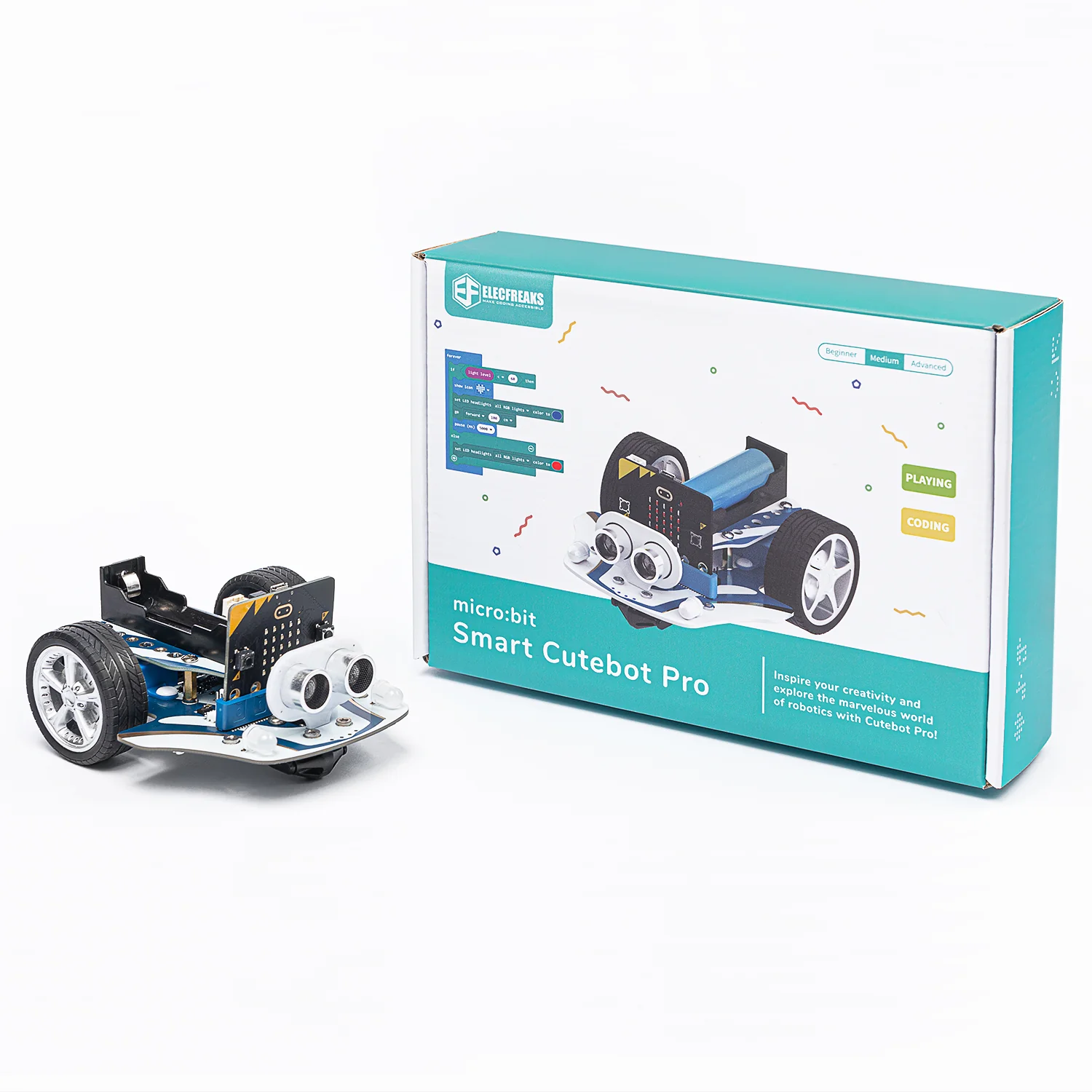
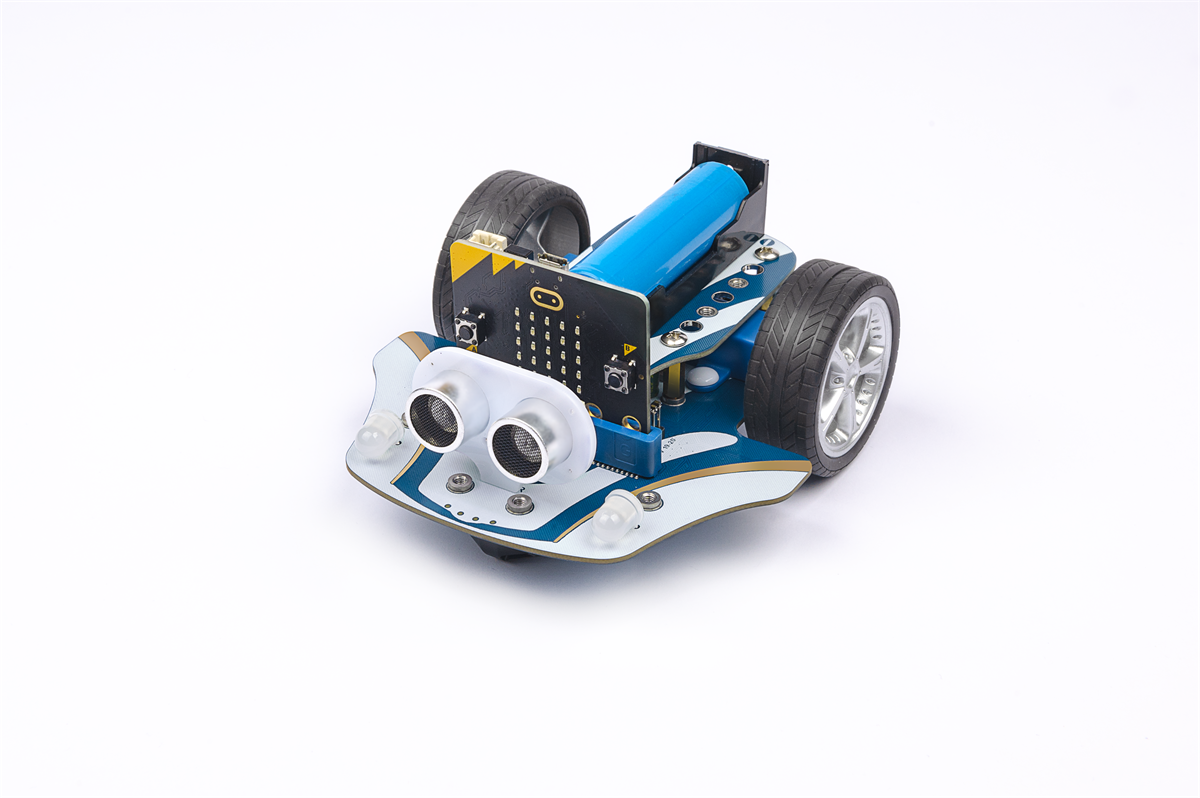
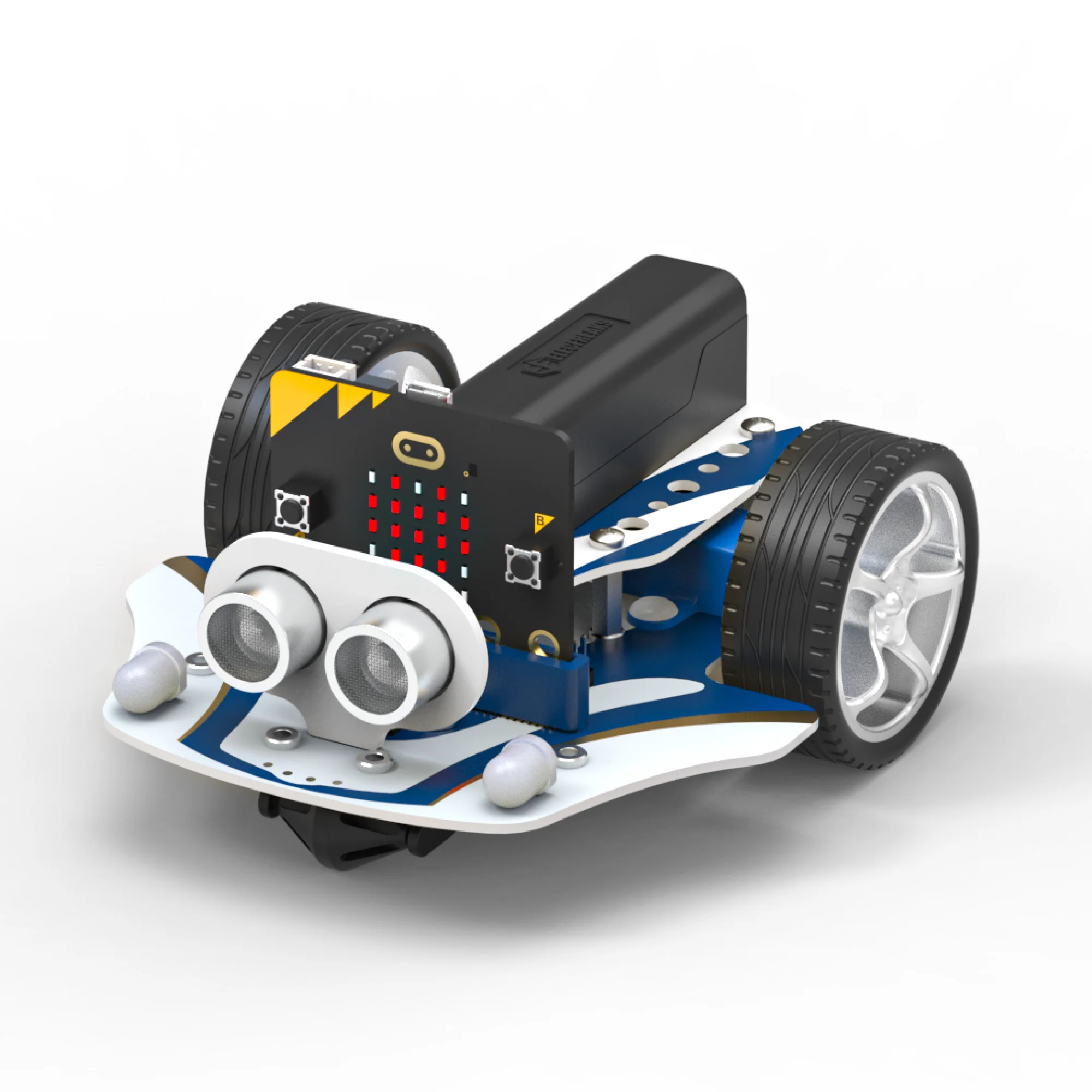
Smart Cutebot Pro — main product view

Meet the Smart Cutebot Pro

The ELECFREAKS Smart Cutebot Pro (EF08292) is an advanced STEAM education programming robot designed for students who are ready to go beyond basic robotics. Building on the original Cutebot, the Pro model upgrades the drive system with dual encoder motors — providing precise distance control and accurate turning angle adjustments for far more sophisticated programming challenges.

Equipped with a 4-way infrared line-following sensor for smooth autonomous navigation, an ultrasonic sensor for obstacle detection and following behaviours, Rainbow LEDs for vibrant programmable lighting, and RGB headlights for creative lighting projects, the Cutebot Pro is a complete, classroom-ready platform.

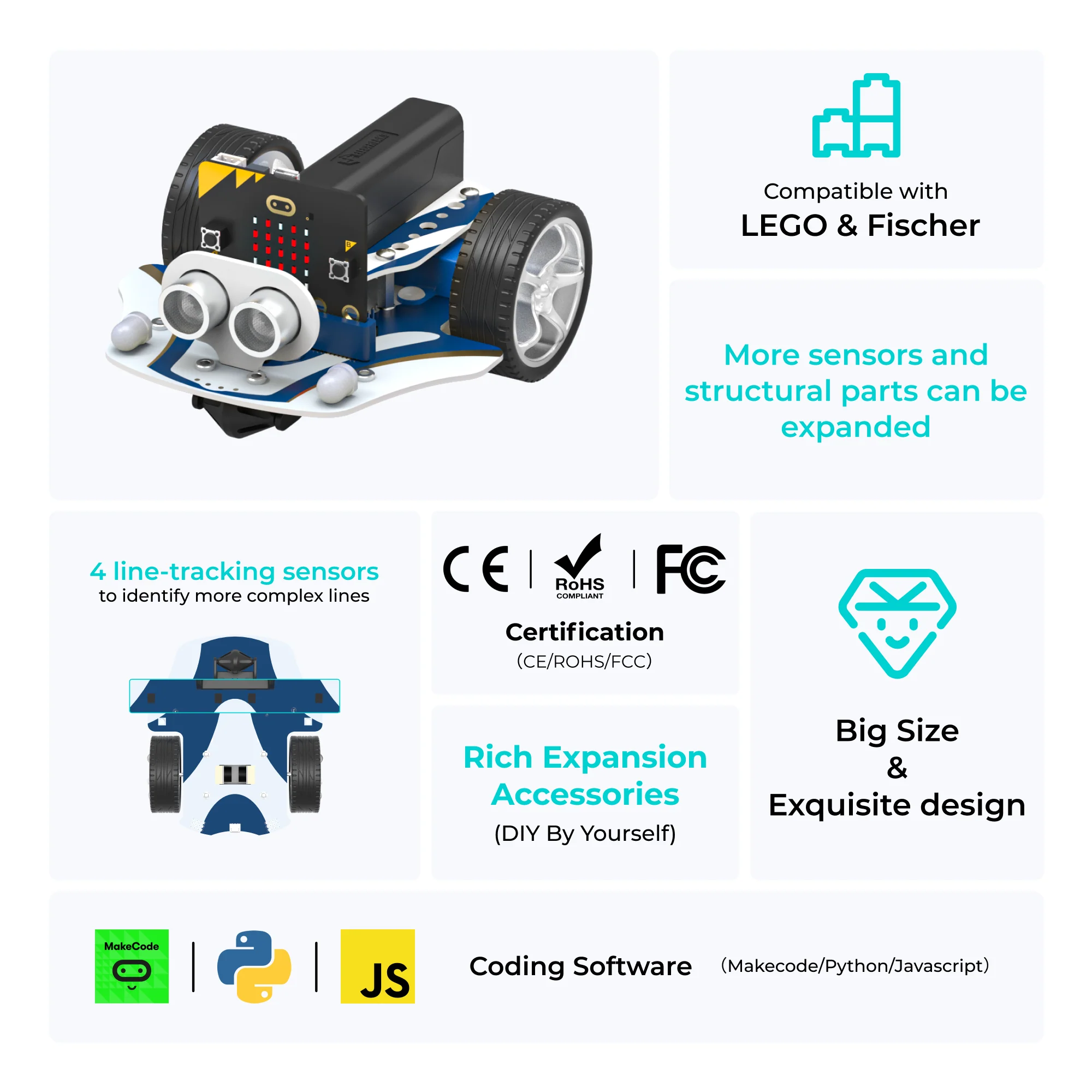
Designed to work with the BBC micro:bit, the Cutebot Pro connects via a dedicated expansion slot and offers multiple IIC, servo, motor, and GPIO expansion ports. Its brick-compatible top surface invites creative hardware extensions — stimulating imagination and engineering thinking beyond the default configuration.

Compatible with MakeCode, MicroPython, and JavaScript, and powered by an onboard 18650 lithium battery, the Cutebot Pro supports 13 progressively challenging projects that build real-world STEAM competencies from motor control to PID algorithms.
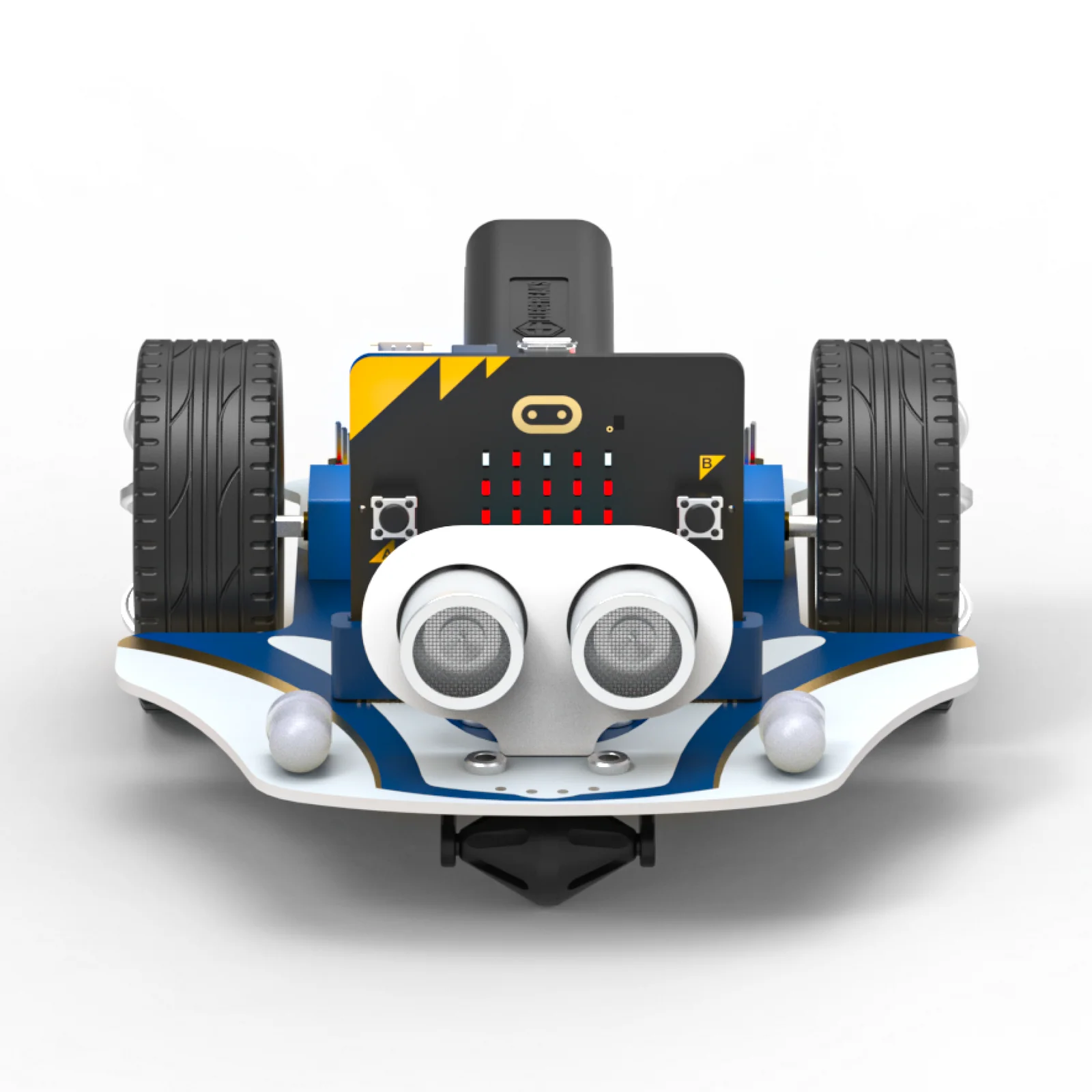
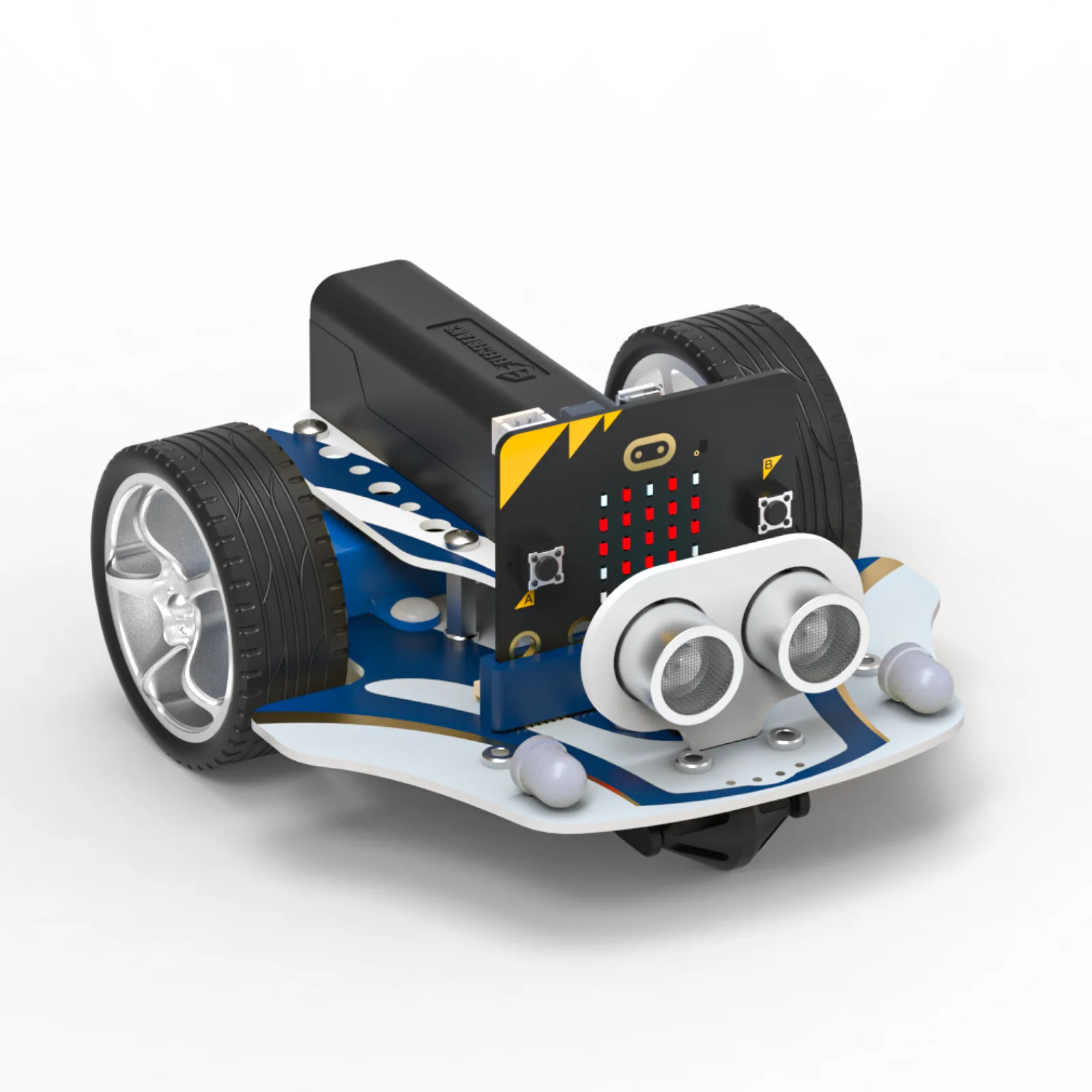
Smart Cutebot Pro — front view Smart Cutebot Pro — side view

Product Features

Every feature of the Cutebot Pro is purpose-built to deliver a precise, expandable, and deeply engaging robotics learning experience.

Encoder Motors
Dual encoder motors deliver precise distance control and accurate turning angles — enabling students to program exact movements and reproduce reliable, repeatable behaviours with measurable results.
👀
4-Way Infrared Line Following
A four-direction infrared line-following sensor provides enhanced path detection for smooth, stable autonomous navigation — far more capable than single or dual-sensor systems.
🔌
Ultrasonic Obstacle Detection
The integrated ultrasonic sensor detects objects and distances in front of the robot, enabling obstacle avoidance, fixed-distance following, and proximity-based behaviours.
🌟
Rainbow LED Lights
Two onboard Rainbow LEDs provide vibrant, fully programmable colour feedback. Students create lighting effects, visual indicators, and animations to enrich their robotics projects.
🔴
RGB Headlights
Dual RGB headlights are individually programmable with any colour — enabling automatic headlights, turn signals, and ambient lighting effects tied to real sensor inputs.
📶
Buzzer & IR Receiver
An onboard active buzzer provides audio feedback for events and alerts, while the infrared receiver enables wireless remote-control input from IR handsets.
🧲
Brick-Compatible Top Surface
The Cutebot Pro's top surface is compatible with building bricks, allowing students to design and attach physical structures — blending mechanical creativity with programming challenges.
📈
Expanded Ports & Interfaces
Four servo ports, four GPIO ports, two IIC ports, and one motor port allow the Cutebot Pro to connect a wide range of sensors, actuators, and display modules for extended projects.

Pictures

A complete look at the Smart Cutebot Pro — from all angles and in action.

Products List

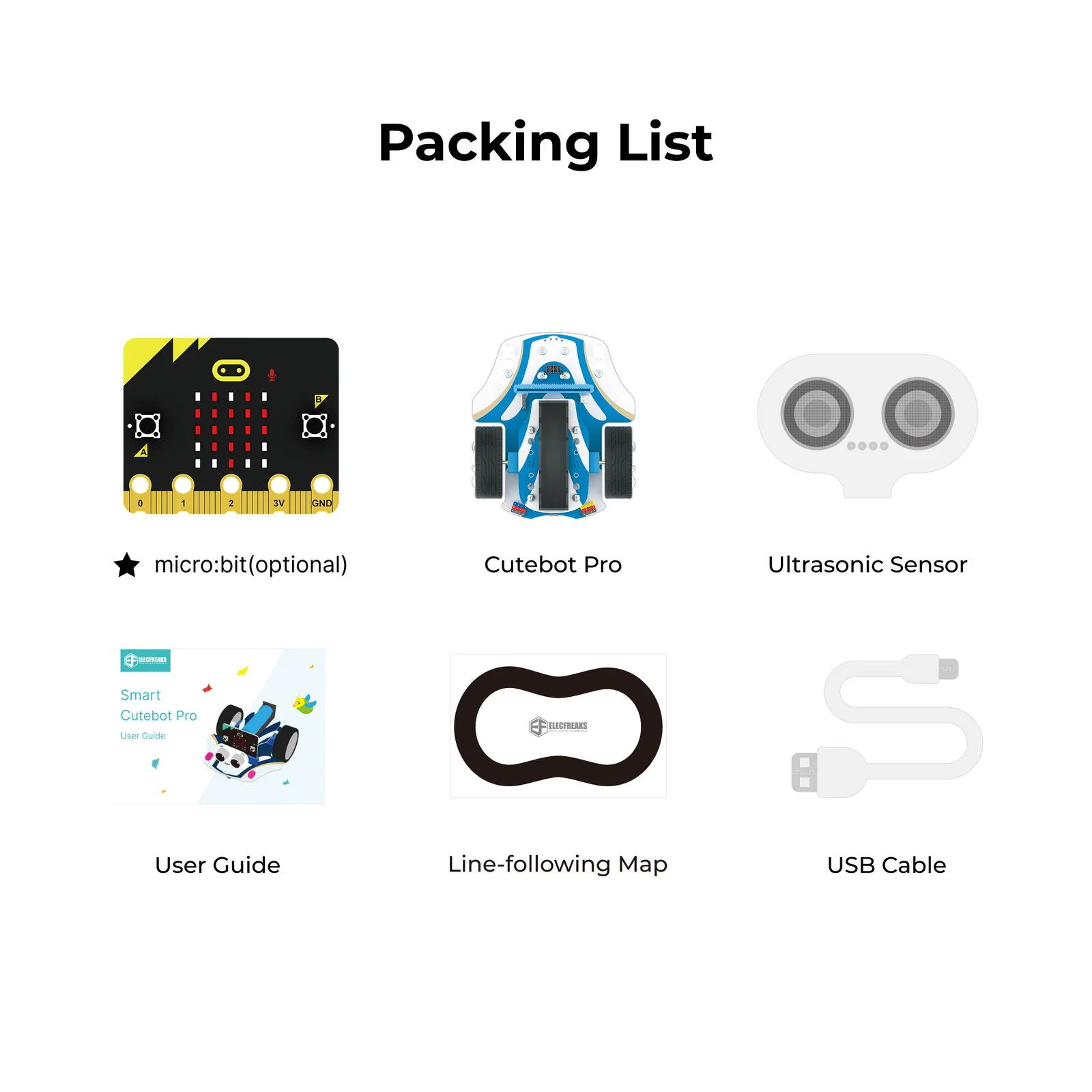
Everything included in the Cutebot Pro package — ready to assemble and program from day one.

Smart Cutebot Pro product contents
ComponentQty
Cutebot Pro Smart Car (chassis + encoder motors + sensors)×1
Ultrasonic Sensor×1
Line-Following Map×1
USB Charging Cable×1
BBC micro:bit×1 (Optional — sold separately)

Introduction to the Function Modules

Each module on the Cutebot Pro is precisely placed to maximise functionality, ease of programming, and expandability in educational settings.

Cutebot Pro encoder motors
Drive System
Encoder Motors
Dual encoder motors replace standard gear motors, providing closed-loop feedback that enables students to program exact distances and precise turning angles — the defining upgrade of the Pro model over the original Cutebot.
Cutebot Pro 4-way line following sensor
Sensing
4-Way Infrared Line Following Sensor
Four infrared sensors positioned at the front-bottom detect black lines against white surfaces in four directions, enabling far smoother and more reliable autonomous line-following and grid-navigation behaviours.
Cutebot Pro ultrasonic sensor
Sensing
Ultrasonic Sensor
The front-mounted ultrasonic sensor measures distance for obstacle detection and avoidance, fixed-distance following, and proximity-triggered behaviours — a core module for autonomous driving projects.
Cutebot Pro Rainbow LEDs and RGB headlights
Lighting
Rainbow LEDs & RGB Headlights
Two onboard Rainbow LEDs provide addressable full-colour lighting for visual feedback and creative effects. Two RGB headlights at the front can be independently programmed to any colour for automatic lighting projects.
Cutebot Pro buzzer and infrared receiver
Audio & Wireless
Buzzer & Infrared Receiver
An onboard active buzzer outputs audio alerts and sound effects. The infrared receiver picks up signals from IR remote controls, enabling students to build wireless-controlled vehicle projects without a second micro:bit.
Cutebot Pro expansion ports
Expansion
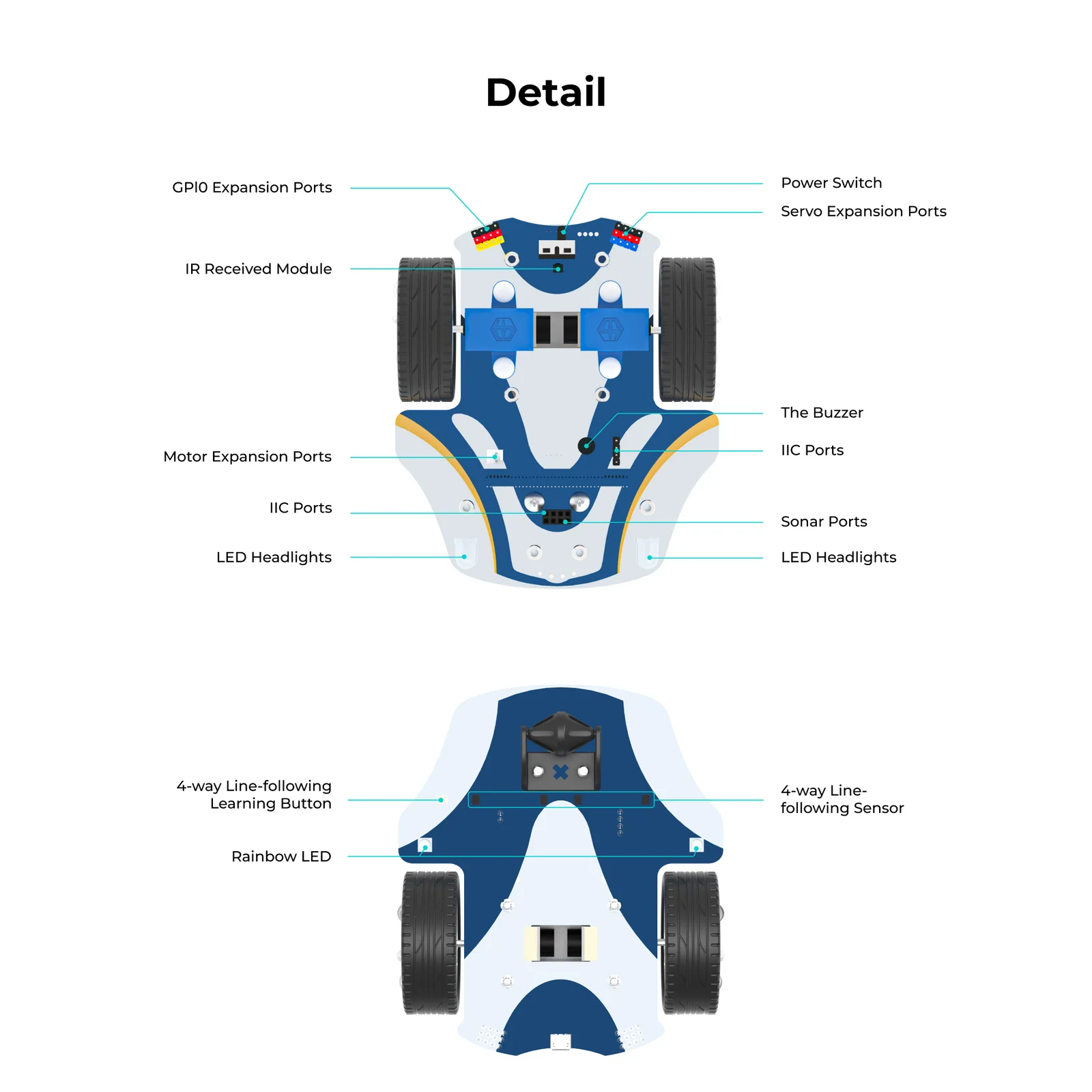
Servo, Motor, GPIO & IIC Ports
Four servo ports (up to 3A), one motor expansion port (3.3V), four GPIO ports, and two IIC interfaces provide a comprehensive ecosystem for connecting additional sensors, displays, and actuators.
Power
18650 Lithium Battery
The onboard 18650 lithium battery (3.7V nominal, 3.3V–4.2V range) charges at 1000 mA in approximately 120 minutes via USB — eliminating the need for disposable batteries in the classroom.
🧲
Compatibility
Brick-Compatible Top Surface
The top surface of the Cutebot Pro accepts standard building bricks, enabling students to attach physical constructions and integrate creative engineering design with their coding activities.
💻
Calibration
Learn Button
A dedicated Learn Button allows students to calibrate the 4-way line-following sensor for different track conditions — reinforcing the concept of sensor calibration and adaptive robotic systems.

Specifications

Complete technical parameters for the Smart Cutebot Pro (EF08292).

Smart Cutebot Pro — product overview Smart Cutebot Pro — dimensions and specifications
ParameterValue
Product NameSmart Cutebot Pro
SKU / ModelEF08292
Battery Type18650 Lithium Battery
Battery Voltage (Nominal)3.7V
Operating Voltage Range3.3V – 4.2V
Charging Current1000 mA
Charging Time~120 minutes
Motor TypeDual Encoder Motors
Servo Ports4 × (Battery voltage, max 3A)
Motor Expansion Port1 × (3.3V, max 0.2A)
GPIO Ports4 × (3.3V, max 3A)
IIC Interfaces2 × Dedicated IIC Ports
Rainbow LEDs2 × Onboard
Headlights2 × RGB Headlights
Line Following4-Way Infrared Sensor Array
AudioOnboard Active Buzzer
Wireless InputInfrared Receiver
Compatible ControllerBBC micro:bit (sold separately)
Programming PlatformsMakeCode, MicroPython, JavaScript

13 Progressive Learning Cases

From basic motor control to advanced PID line-following and infrared remote control — 13 structured cases guide students through the full capabilities of the Cutebot Pro.

Case 01
Drive Forward

Introduction

Students are introduced to the Cutebot Pro platform and write their first motor-control program. This foundational case establishes the connection between code blocks and physical movement — making the car drive forward, backward, and stop on command.

Teaching Objectives

  • Connect the Cutebot Pro to the micro:bit and open the MakeCode extension
  • Use motor control blocks to drive the car forward, reverse, and stop
  • Build confidence writing and downloading programs to a physical robot
Case 02
Patrol at a Fixed Distance

Introduction

This lesson introduces graphical programming and encoder motors. Students learn how to write programs that control the exact distance the cart travels — leveraging the Pro's encoder motors for precise, repeatable movement.

Teaching Objectives

  • Comprehend fundamental concepts of graphical programming and encoder motors
  • Use MakeCode to create programs that control the exact distance travelled by the trolley
Case 03
Go Square

Introduction

Students explore motor control and turning techniques by programming the Cutebot Pro to travel along a perfect square path — applying encoder precision to achieve a closed, accurate trajectory using right-angle and arc turns.

Teaching Objectives

  • Master controlling the car's forward, backward, and stopping movements
  • Understand right-angle and circular arc turning methods
  • Program the car to follow a complete square trajectory
Case 04
Voice Control

Introduction

Students explore motor control and noise sensors by creating a sound-activated smart car. They learn to control the trolley's forward, backward, and stop functions using the micro:bit's sound sensor — applying acoustic principles to vehicle operation.

Teaching Objectives

  • Understand motor control principles for managing car movement in multiple directions
  • Learn how noise sensors function and their real-world applications
  • Control car speed and direction based on detected sound intensity
Case 05
Rainbow Lights

Introduction

Students explore motor control and RGB light management by constructing a smart racing car with dynamic lighting effects. They integrate driving behaviours with programmable Rainbow LEDs to produce vivid, rainbow-like light displays during operation.

Teaching Objectives

  • Understand RGB light principles — colour mixing, brightness, and control methods
  • Integrate motor control with RGB lighting to produce rainbow effects while driving
Case 06
Automatic Headlights

Introduction

Students build an intelligent vehicle lighting system. When ambient light dims, the headlights automatically switch on; when it brightens, they switch off. This project incorporates light detection, RGB lighting control, and the photovoltaic effect.

Teaching Objectives

  • Understand how micro:bit detects surrounding light intensity
  • Learn about the photovoltaic effect and its practical applications
  • Master light-triggered LED control using micro:bit and Cutebot Pro
  • Understand RGB primary colour theory and RGB light control techniques
Case 07
Walk the Grid

Introduction

Students program the Cutebot Pro to navigate a preset grid pattern. This case applies encoder motor precision to achieve controlled movements with exact step counts and distances — building a foundation for structured path planning and algorithmic thinking.

Teaching Objectives

  • Understand the principles and methods of trolley motor control
  • Apply encoder distance control to navigate predetermined grid patterns
  • Develop algorithmic thinking for sequential movement planning
Case 08
Intelligent Obstacle Avoidance

Introduction

Students learn graphical programming and ultrasonic sensor applications. They program the Cutebot Pro to detect and autonomously avoid obstacles while developing understanding of conditional logic, branching, and Boolean operations — fundamentals of intelligent autonomous systems.

Teaching Objectives

  • Comprehend conditional logic, branching, and Boolean programming concepts
  • Learn how ultrasonic sensors function and their real-world applications
  • Detect obstacles and create corresponding avoidance programs
Case 09
Follow the Car at a Fixed Distance

Introduction

Students program the Cutebot Pro to autonomously trail another object while maintaining consistent spacing. The project integrates graphical programming with ultrasonic sensor technology — a practical introduction to autonomous driving and distance-responsive systems.

Teaching Objectives

  • Comprehend how ultrasonic sensors measure distance and their practical applications
  • Use graphical programming to implement a fixed-distance car-following behaviour
Case 10
Automatic Line Patrol

Introduction

Students are introduced to line-tracking sensor functionality by building a smart vehicle that follows a line on the included map. The lesson demonstrates how the 4-way infrared sensor works and combines it with conditional programming for reliable autonomous navigation.

Teaching Objectives

  • Grasp conditional logic and Boolean operators in a practical context
  • Learn how line-following sensors operate and their real-world applications
  • Construct a Cutebot Pro capable of reliable autonomous line-following
Case 11
PID Line Inspection

Introduction

Students apply the PID (Proportional, Integral, Derivative) control algorithm to improve the Cutebot Pro's line-following performance. This advanced case bridges basic sensor programming and real-world control theory — developing logical thinking and engineering problem-solving skills.

Teaching Objectives

  • Master decision-making, branching, and logical operations in programming
  • Understand how line-following sensors function in autonomous navigation
  • Comprehend PID control principles and implement them for improved line-following performance
Case 12
Remote Control the Cutebot Pro with micro:bit Accelerometer

Introduction

Students learn to use the accelerometer feature of one micro:bit to wirelessly control the Cutebot Pro's movement. Both the controller and the car require separate programming to establish communication — giving students hands-on experience with radio protocols and sensor-driven control.

Teaching Objectives

  • Utilise micro:bit accelerometer data to generate wireless control signals
  • Implement radio communication between two micro:bit devices
  • Convert acceleration/tilt values into motor speed and direction commands
  • Understand how physical tilt angles translate to directional control and velocity
Case 13 — Remote Control
Infrared Remote Control Car

Introduction

Students build an infrared remote-controlled car using the Cutebot Pro's IR receiver module. This lesson enables learners to understand infrared remote control technology by constructing and programming a car operated through a handheld IR remote — exploring the mechanisms behind wireless control systems.

Teaching Objectives

  • Understand how infrared remote control technology transmits and receives signals
  • Use an IR remote to command the car's driving directions and speed
  • Gain practical skills in implementing wireless control on a mobile robotic platform
Case 14 — Remote Control
Joystick:bit Handle Remote Control

Introduction

Students remotely operate the Cutebot Pro using a Joystick:bit game controller. This lesson explores wireless pairing, micro:bit radio communication protocols, and vehicle control mechanics — providing hands-on experience with a dedicated game-style controller for driving a smart car.

Teaching Objectives

  • Learn wireless pairing techniques between micro:bit devices and the Joystick:bit controller
  • Understand the wireless communication technology used for remote-control car operations
  • Master driving control methods — forward, backward, and steering — via the Joystick:bit

Extended Cases

Six advanced build-and-program challenges that expand the Cutebot Pro with bricks, claws, launchers, and AI — pushing creativity and engineering to the next level.

Case 01 AI Road Signs Recognition Cart
▶ Demo
Case 01 demo animation
Extended Case 01
AI Road Signs Recognition Cart

Purpose

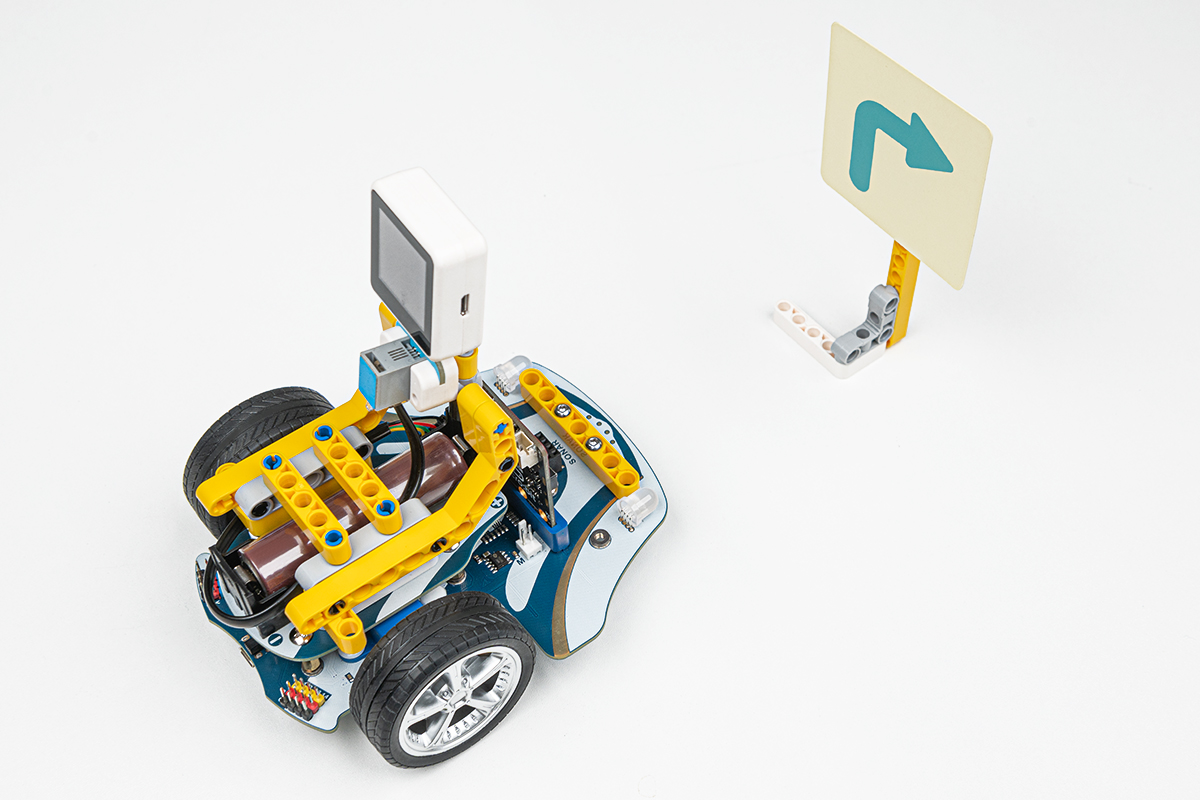
Build a Cutebot Pro cart that uses an AI Lens to recognise road signs — combining computer vision with autonomous movement control for a real-world AI navigation challenge.

Conclusion / Result

When button A is activated, the cart moves forward. Upon detecting a road sign indicating a right turn, the cart automatically turns right by 90° and stops — demonstrating AI-driven decision making on a physical robot.

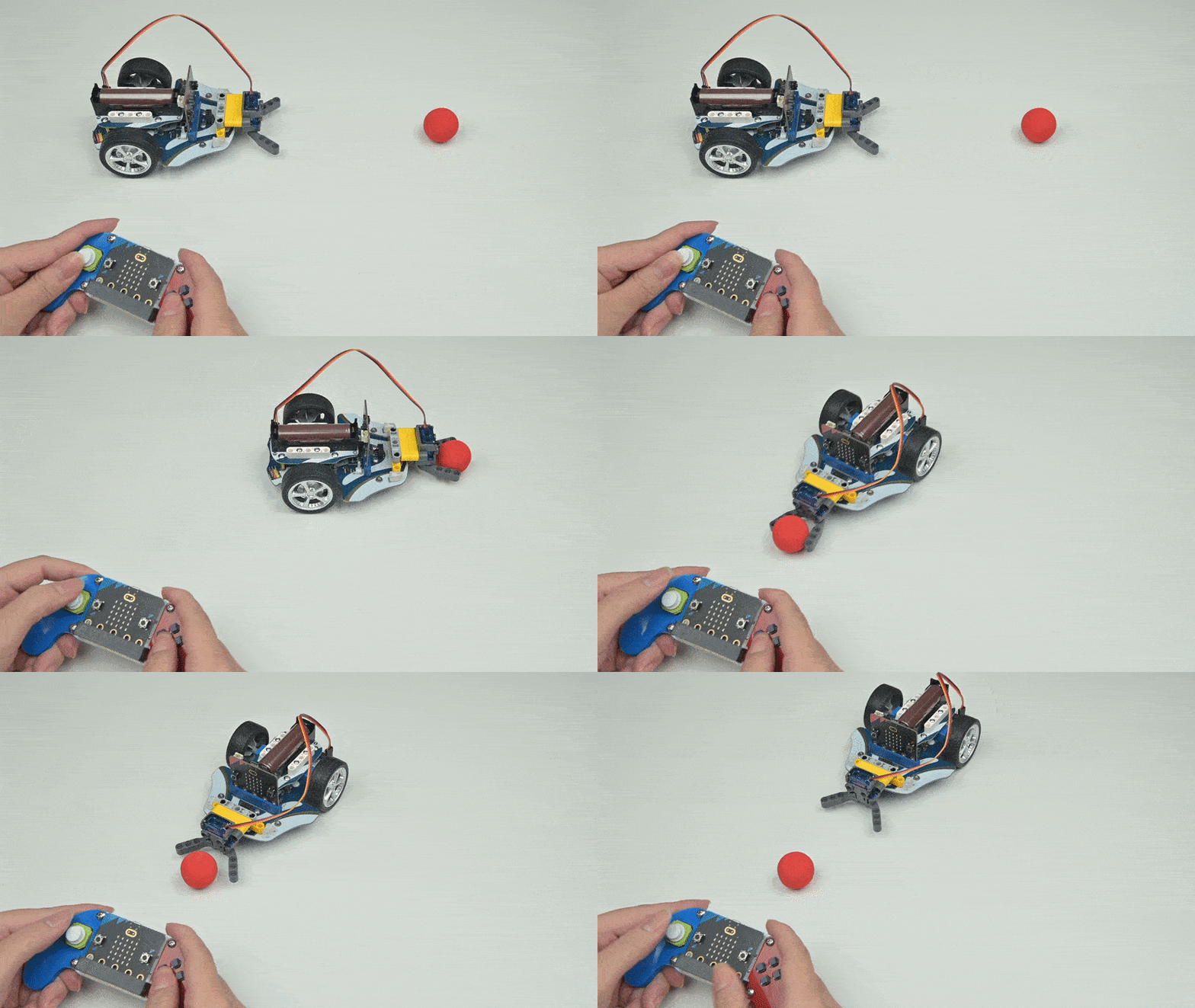
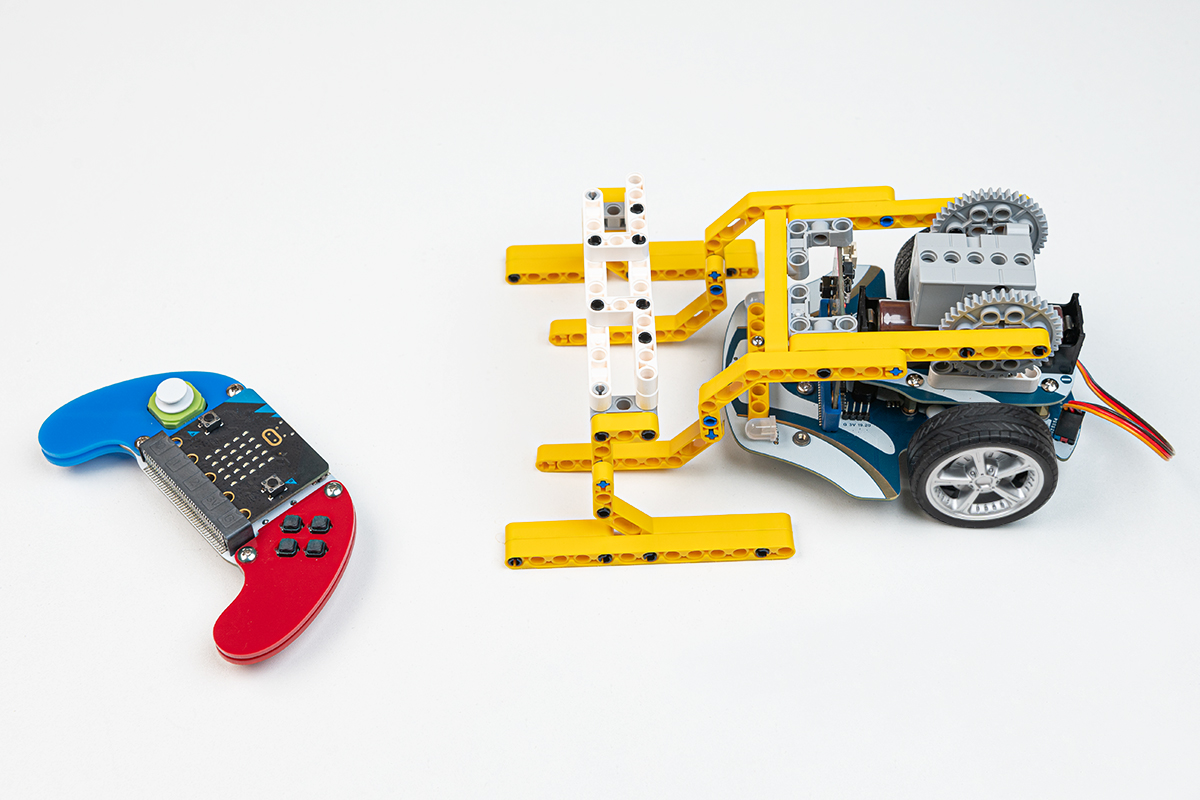
Case 02 Simple Car with Mechanical Claw
▶ Demo
Case 02 demo animation
Extended Case 02
Simple Car with Mechanical Claw

Purpose

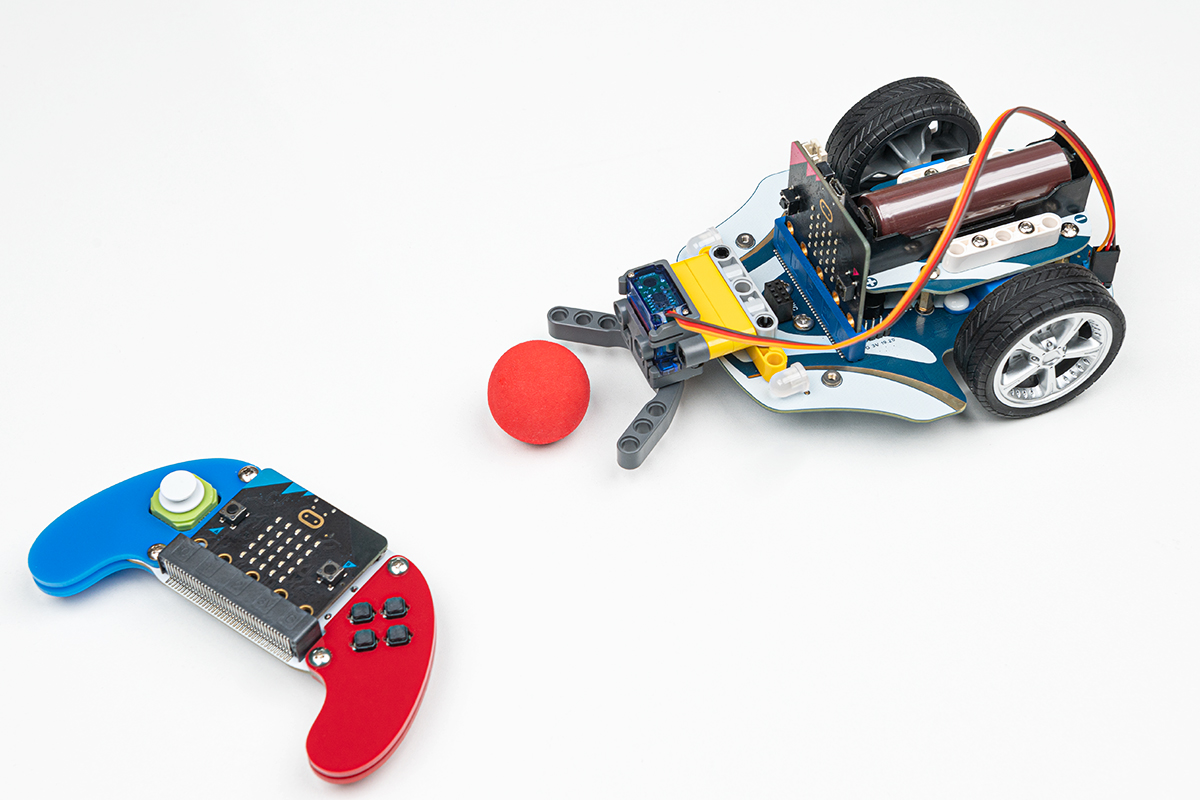
Build a smart Cutebot Pro cart equipped with a servo-powered mechanical claw — introducing students to actuator control and gripper mechanics through a hands-on robotics challenge.

Conclusion / Result

Using the Joystick:bit remote control, pressing button C activates the claw to grab and hold objects; releasing the button opens the claw to drop them — demonstrating basic remote-controlled manipulation on a mobile platform.

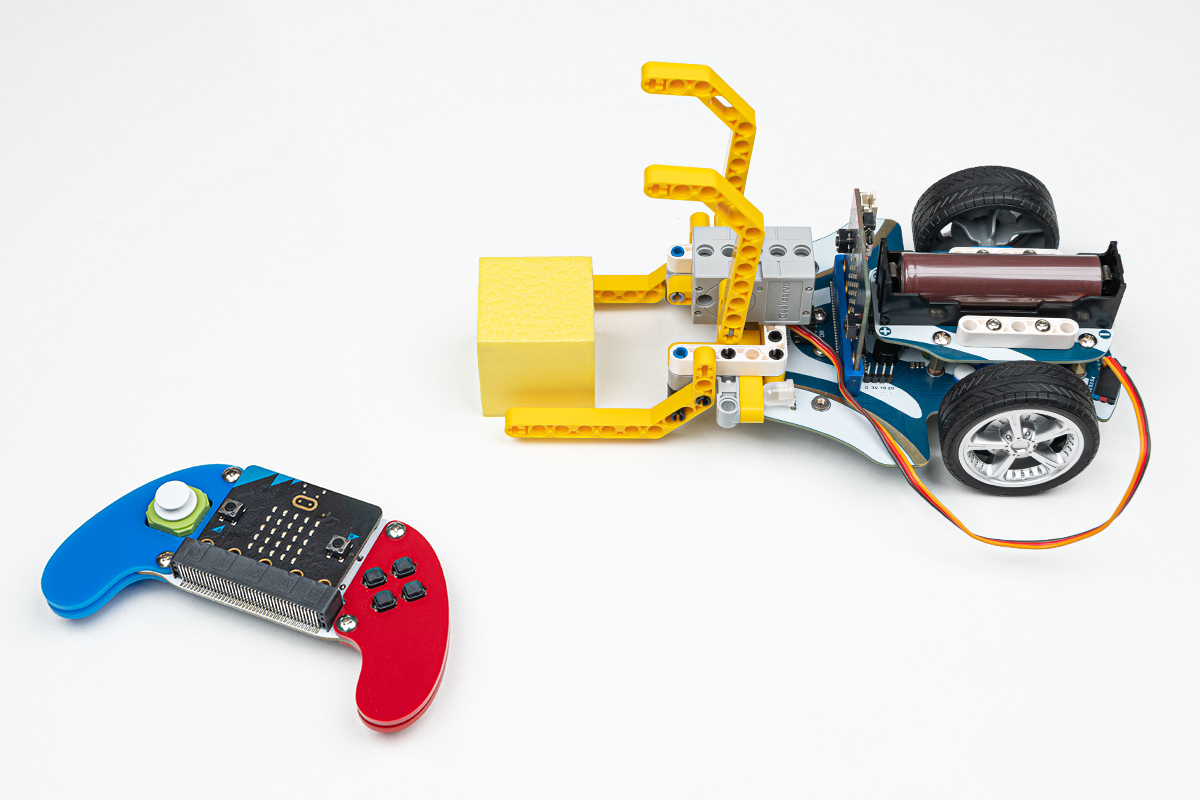
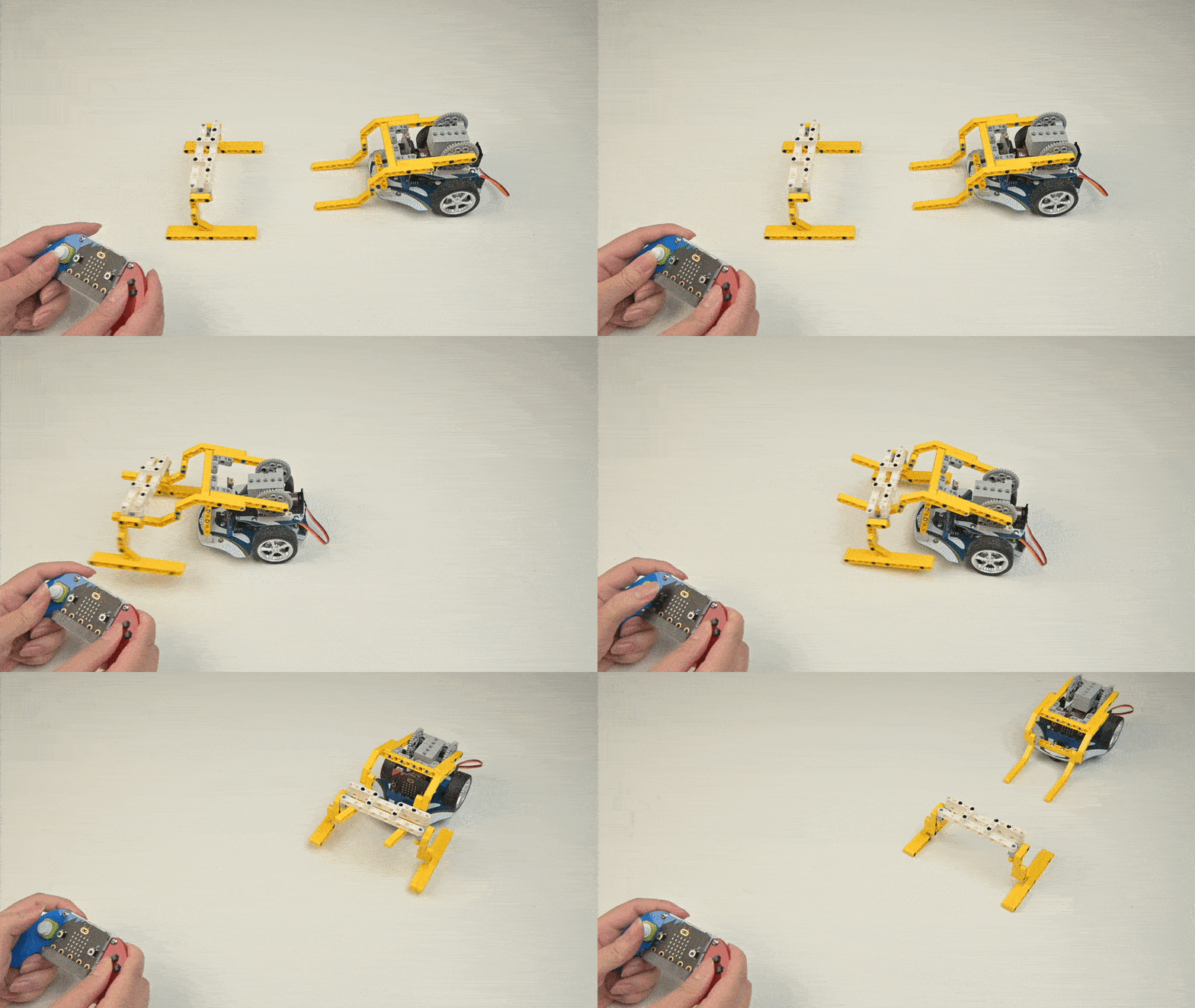
Case 03 Smart Cart with Bricks Mechanical Claw
▶ Demo
Case 03 demo animation
Extended Case 03
Smart Cart with Bricks Mechanical Claw

Purpose

Build a smart Cutebot Pro cart with a mechanical claw constructed from building bricks — combining brick-based engineering design with servo-controlled grabbing and joystick-driven navigation.

Conclusion / Result

Operators control the cart's route via the Joystick, while pressing button C clamps the bricks-built claw to grab objects and releasing it drops them — blending construction creativity with programmable robotics.

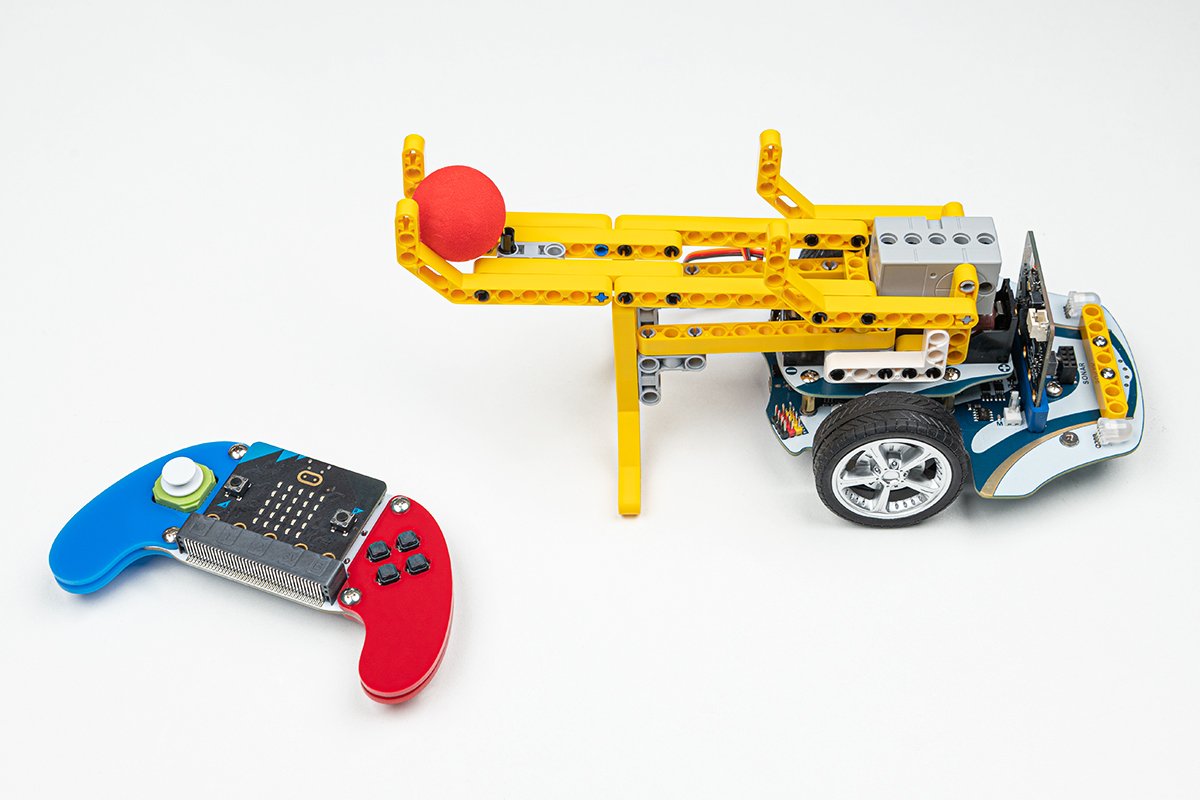
Case 04 Ball Launching Vehicle
▶ Demo
Case 04 demo animation
Extended Case 04
Ball Launching Vehicle

Purpose

Create a ball launcher built with bricks on the Cutebot Pro — combining structural engineering with servo-actuated launching mechanics and wireless joystick control for an exciting projectile robotics challenge.

Conclusion / Result

Users control the robot's movement with the joystick while pressing button C activates the launcher mechanism to fire small balls — combining directional navigation with targeted projectile deployment.

Case 05 The Curling Robot
▶ Demo
Case 05 demo animation
Extended Case 05
The Curling Robot

Purpose

Build a Smart Cutebot Pro kit that simulates the sport of curling — assembling a robot capable of pushing a stone-like object toward a target with precision control and servo-activated release.

Conclusion / Result

Users control the cart's travelling route via the joystick, and press button C to activate the servo mechanism that pushes out the curling object — combining wireless navigation with precise, sport-inspired launch timing.

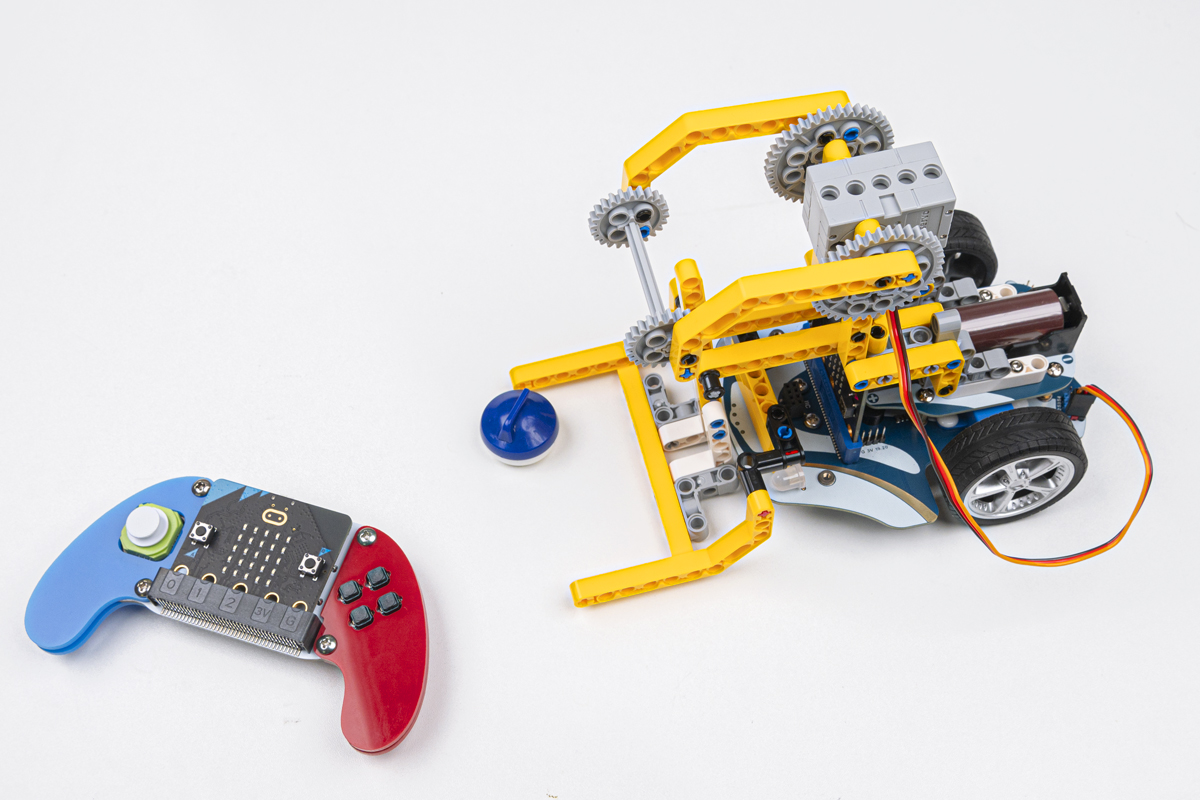
Case 06 Remote Control Forklift Trucks
▶ Demo
Case 06 demo animation
Extended Case 06
Remote Control Forklift Trucks

Purpose

Build a remote-controlled forklift truck with bricks on the Cutebot Pro — replicating industrial material-handling equipment on a small scale and combining construction design with programmable lifting mechanics.

Conclusion / Result

The forklift's movement is directed through the joystick control system, while button C operates the lifting mechanism to raise and lower cargo — demonstrating how digital controls can replicate real industrial equipment.

Cutebot Pro Blocks Pack

A structural expansion pack (EF08412) designed exclusively for the Cutebot Pro — providing the connecting parts needed to mount an Easy Mechanical Claw or AI Camera and unlock advanced robotics projects.

The ELECFREAKS Cutebot Pro Blocks Pack (EF08412) is a purpose-built expansion accessory for the Cutebot Pro. It contains only the structural connecting parts required to attach either an Easy Mechanical Claw or an AI Camera module to the Cutebot Pro chassis.

This pack is not a standalone product — it is designed to bridge the Cutebot Pro with two powerful accessories, enabling students to build AI-powered road sign recognition vehicles and servo-controlled gripper robots. The mechanical claws and AI camera are sold separately.

Recommended for use with the Cutebot Pro + AI Camera for computer vision projects, or the Cutebot Pro + Easy Mechanical Claw for manipulation and logistics challenges.

Cutebot Pro Blocks Pack — structural components
Products List
ComponentQty
Structural Connecting Parts (for AI Camera / Easy Mechanical Claw mount)×1 Set
Compatible with: Cutebot Pro (EF08292)
Compatible with: Easy Mechanical Claw (sold separately)
Compatible with: AI Camera / AI Lens (sold separately)
Projects
Case 01 AI Road Sign Recognition Vehicle
▶ Demo
Case 01 demo
Blocks Pack — Case 01
Vehicles Capable of Recognising Road Signs Through AI Technology

Purpose

Build a Cutebot Pro smart car equipped with AI Lens technology that can detect and respond to road signs autonomously — combining computer vision with real-time movement control for an AI-driven navigation challenge.

Conclusion / Result

When button A is activated, the cart moves forward at a steady pace. When the AI camera detects a "turn right" road sign that meets the size threshold, the trolley automatically turns 90° to the right and stops — demonstrating how artificial intelligence can enable vehicles to interpret traffic instructions without human intervention.

Case 02 Simple Mechanical Gripper Trolley
▶ Demo
Case 02 demo
Blocks Pack — Case 02
Simple Mechanical Gripper Trolley

Purpose

Build a Cutebot Pro cart equipped with an Easy Mechanical Claw — combining mobile navigation with servo-powered gripping mechanics for a remote-controlled manipulation challenge inspired by real-world logistics robots.

Conclusion / Result

Using the Joystick:bit remote control, operators drive the trolley to a target position, then press button C to activate the mechanical claw and grab objects — releasing the button opens the claw and drops the item. This demonstrates how mobile platforms can be extended with manipulator arms for pick-and-place operations.

Learning Outcomes

By completing the Cutebot Pro curriculum, students develop a broad set of STEAM competencies spanning programming, engineering, physics, and computational thinking.

💻
Block & Text-Based Programming
Students master MakeCode graphical programming and progress towards MicroPython text-based coding — building computational thinking through 13 progressively complex robotics projects.
Precise Motor & Encoder Control
Learners understand how encoder feedback enables precise distance and angle control — connecting physical engineering concepts to programmable, measurable real-world outcomes.
👀
Sensor Integration & Autonomy
Students read data from ultrasonic, infrared line-following, and light sensors — writing programs that respond to the physical environment for obstacle avoidance, following, and line-patrol behaviours.
🌟
Electronics & Light Theory
Through RGB headlight and Rainbow LED projects, students understand colour theory, the photovoltaic effect, and how digital signals control physical lighting systems.
📶
Sound & Wireless Communication
Voice-control and infrared remote projects introduce students to sound propagation, acoustic sensing, and wireless signal transmission — real physics applied to robotics.
📈
Control Theory — PID Algorithm
The advanced PID case introduces students to proportional-integral-derivative control — a cornerstone of modern engineering used in robotics, drones, and industrial automation worldwide.
🧸
Algorithmic & Logical Thinking
Grid navigation, square-path programming, and conditional branching cases develop students' ability to decompose problems, design algorithms, and think logically about sequential instructions.
🧲
Creative Engineering Design
Brick-compatible surfaces and expandable ports invite students to design and build physical extensions — combining construction creativity with electronics and programming for open-ended projects.