Elecfreaks · micro:bit Smart Car Series
Smart Car Kits

Ring:bit
Car V2

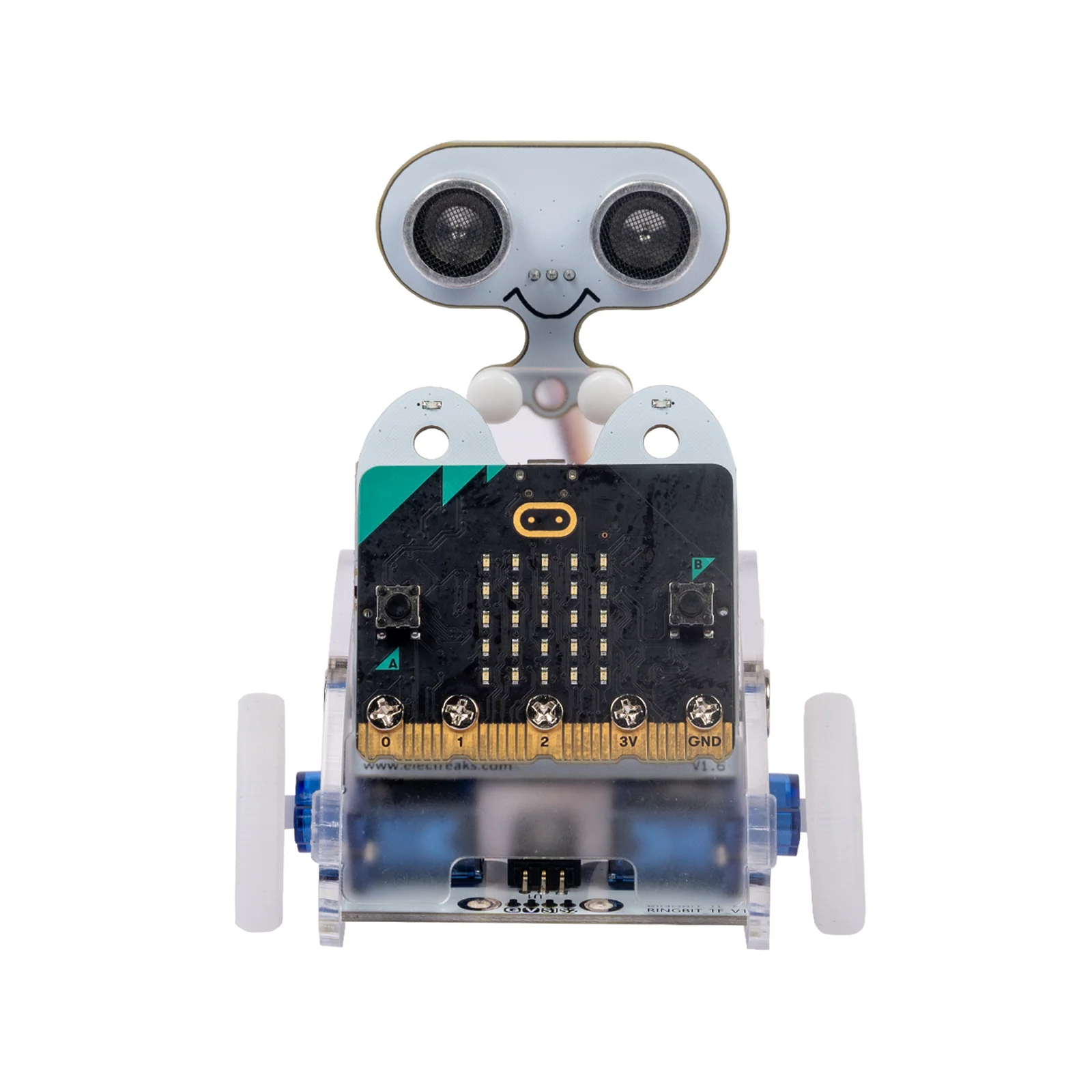
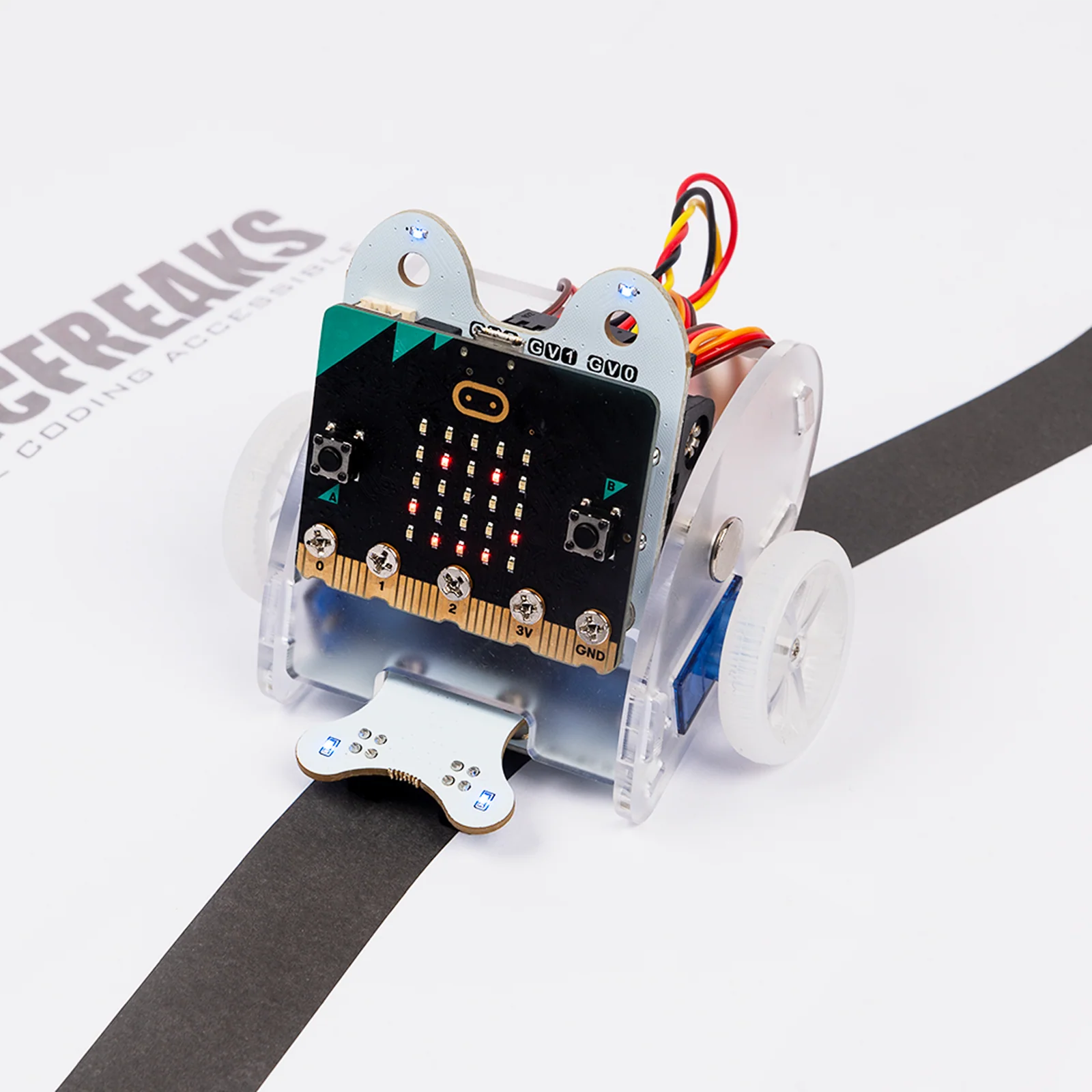
A small DIY smart car driven by the BBC micro:bit and the ELECFREAKS Ring:bit expansion board. Build it, program it, and explore robotics, wireless communication, and autonomous navigation — all in one kit.

🚗 DIY Build-It-Yourself 🔌 Ring:bit Expansion Board 📡 Wireless Remote Control 🎓 Grades 4–10
Request a Quote →
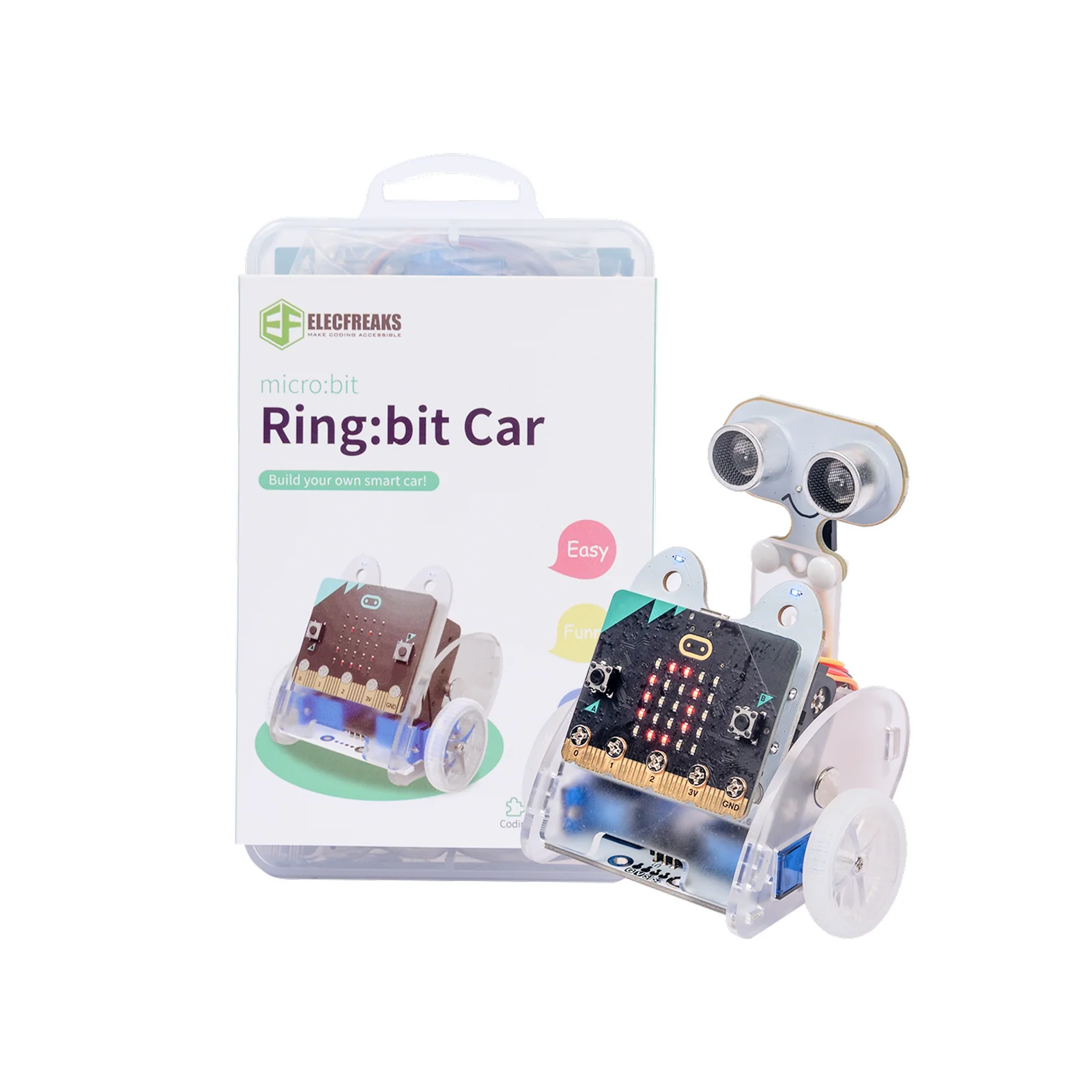
Ring:bit Car V2
11
Project Cases
2
360° Servos
8
RGB LEDs
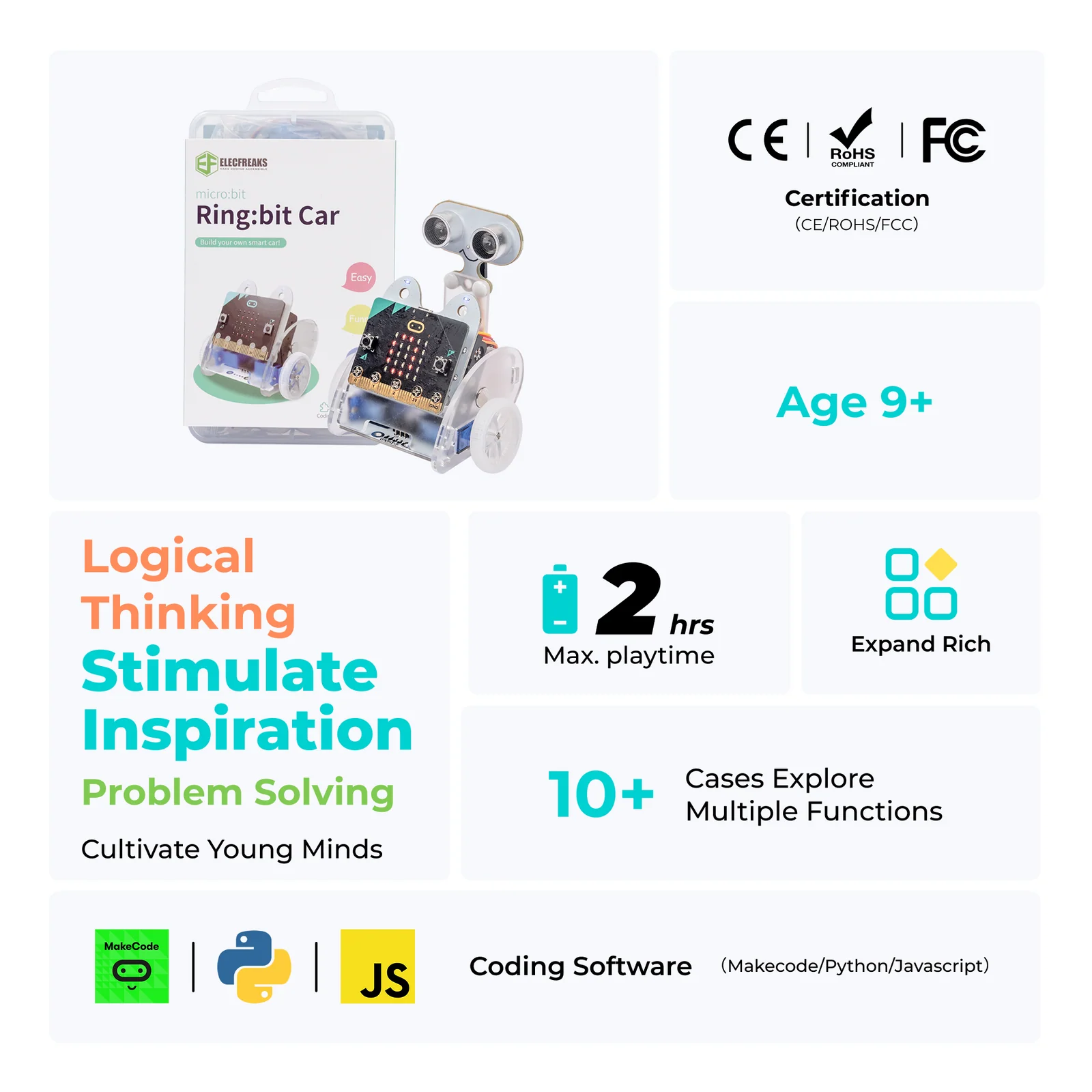
Ring:bit Car V2 features
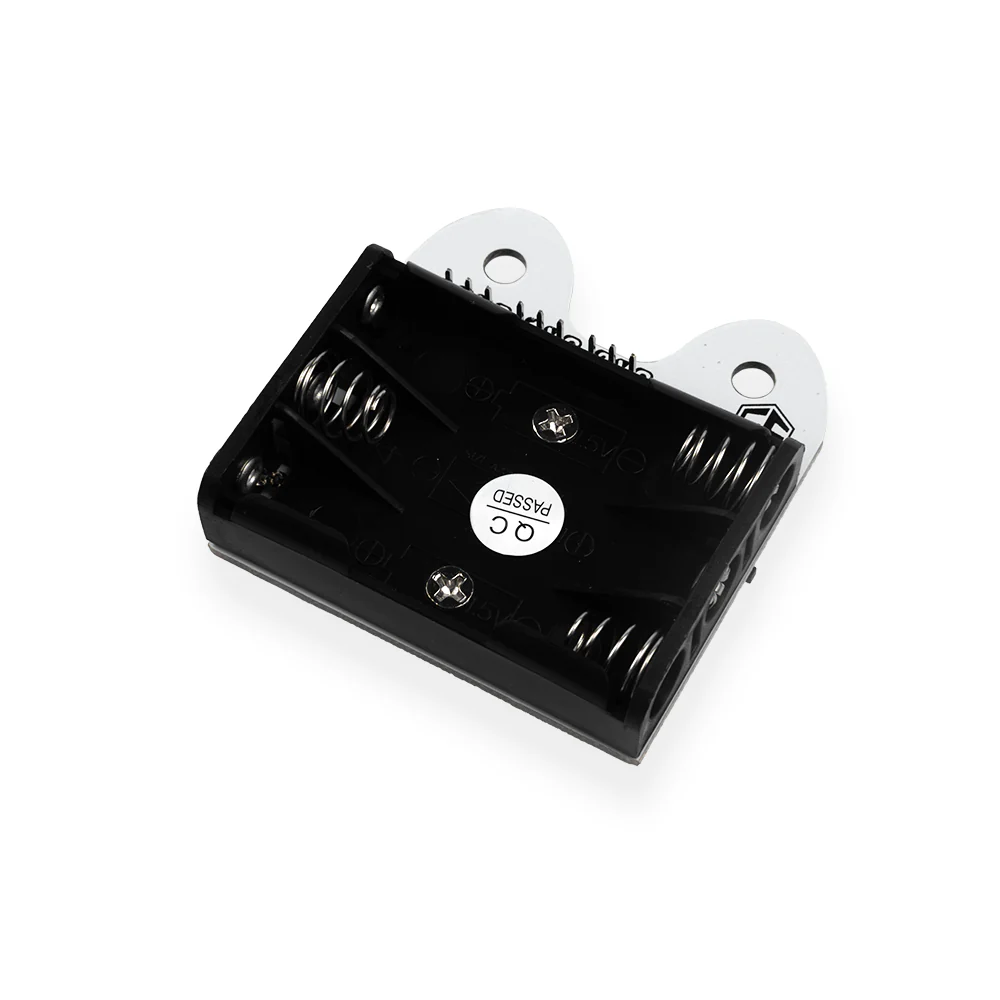
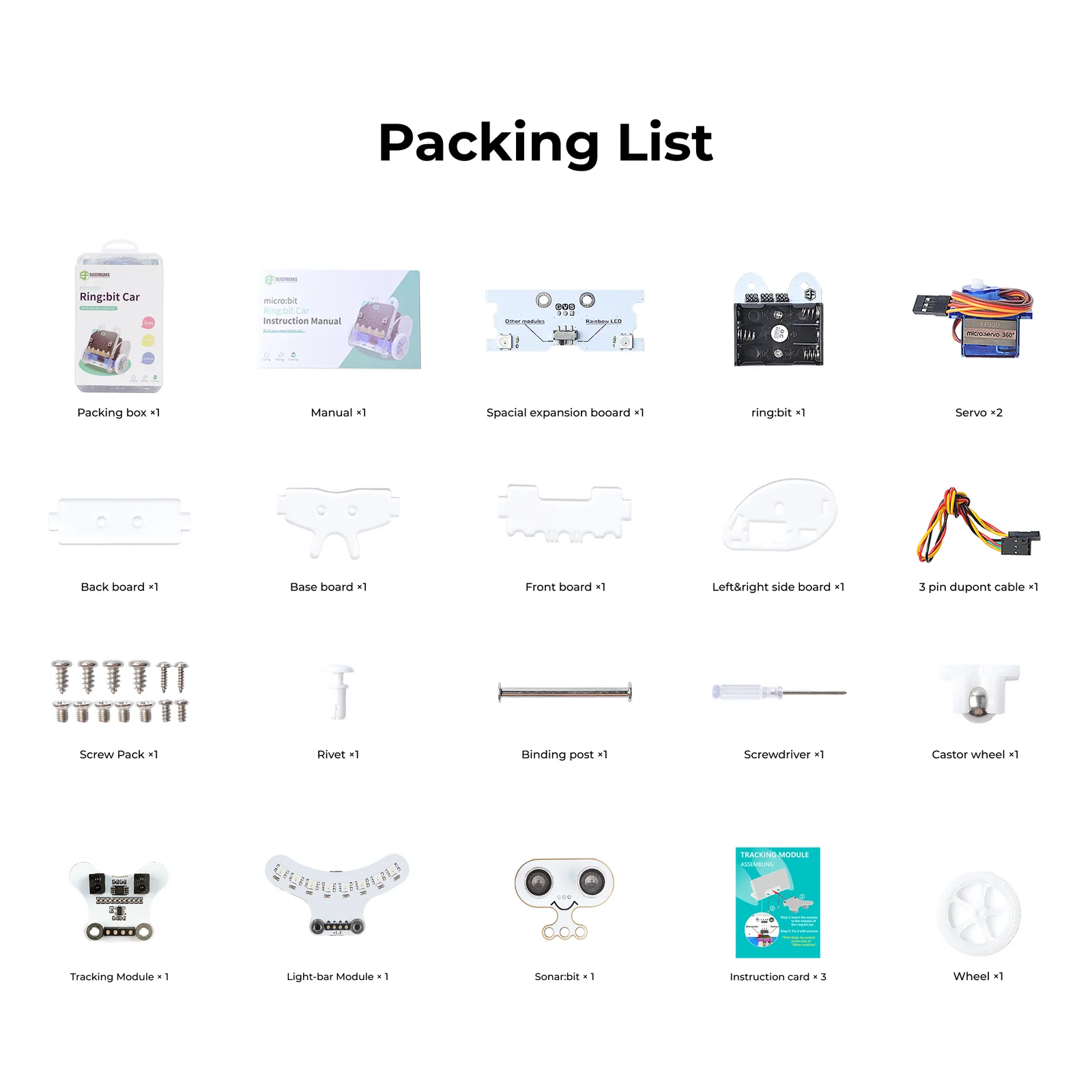
Ring:bit Car V2 kit contents

Build, Code & Drive Your Own Smart Car

The Ring:bit Car V2 is a fully DIY smart car kit powered by the BBC micro:bit. Students assemble the car from scratch, then program it using MakeCode or Python — covering motor control, wireless communication, sensor integration, and autonomous navigation.

🚗
Complete DIY Assembly
Students build the car from the ground up — fitting the boards, attaching wheels, installing 360° servos, and wiring the Ring:bit expansion board — gaining real hands-on engineering experience.
🔌
Ring:bit Expansion Board
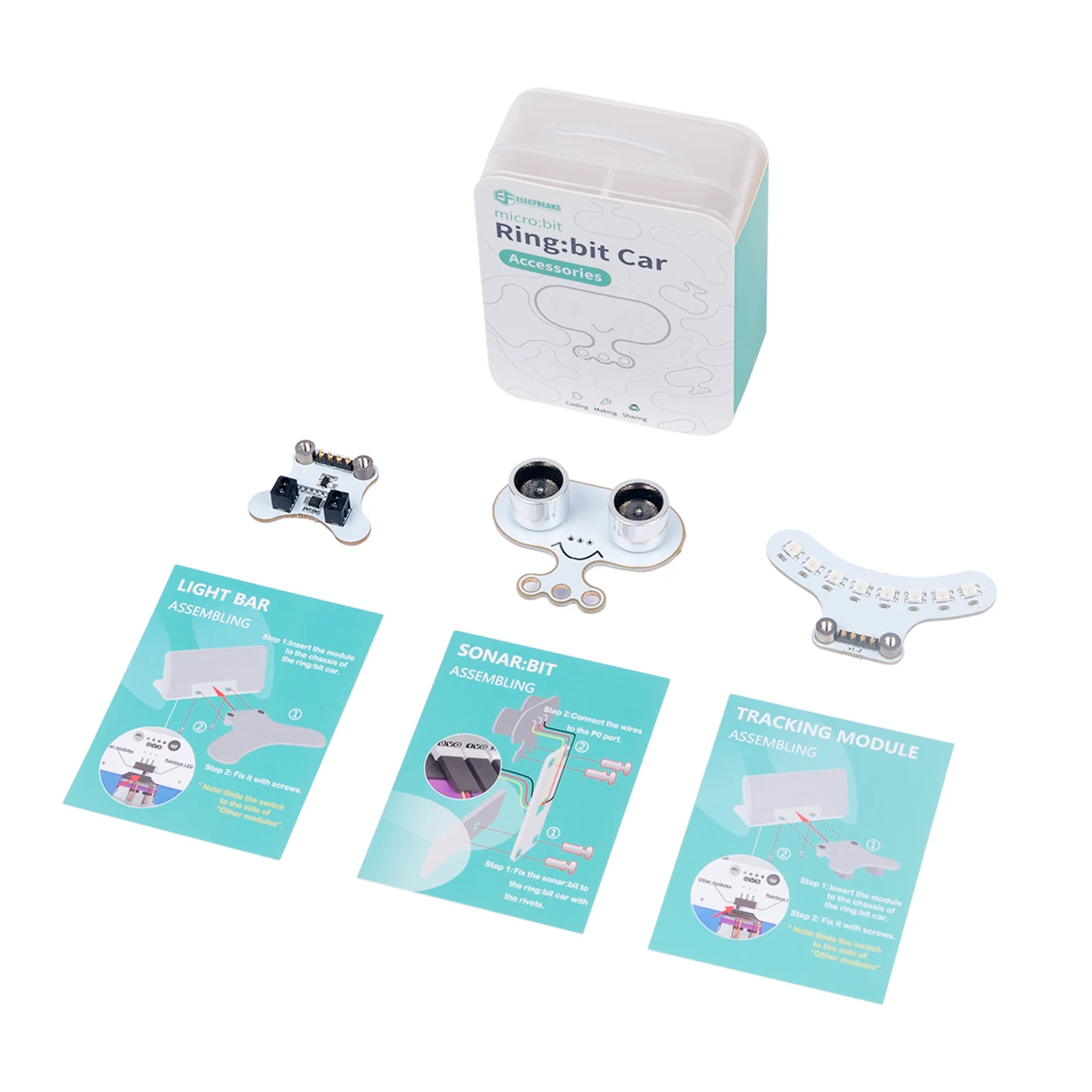
The included Ring:bit board expands the micro:bit's GPIO capabilities, enabling connection of additional sensors and modules — including Rainbow LED strips, Sonar:bit, and Joystick:bit.
📡
Wireless Control & Autonomous Modes
Use a second micro:bit or Joystick:bit for wireless remote control, or program fully autonomous behaviours — obstacle avoidance, light following, accelerometer steering, and more.

Everything You Need to Explore Robotics

From basic motor control to AI-assisted navigation, the Ring:bit Car V2 grows with the student across all skill levels.

⚙️
Dual 360° Servo Motors
Two independently controlled 360° servo motors (P1 left, P2 right) allow precise forward, reverse, turning, and differential speed control for complex movement patterns.
🌈
Rainbow LED Module
8 individually programmable RGB LEDs (SKU: EF03425) attach to the baseboard. Each LED is independently colour-controllable — enabling police lights, rainbow animations, and status indicators.
💡
Light Following
Use the micro:bit's built-in light sensor to program the car to seek out and move toward light sources — an accessible introduction to sensor-driven autonomous navigation.
📡
Wireless Remote Control
Two micro:bits communicate via radio — one acts as controller, one drives the car. Supports button control, joystick control, and full accelerometer-based tilt steering.
🔴
Obstacle Avoidance (Sonar:bit)
Connect a Sonar:bit ultrasonic sensor to port P0 to build a crashproof car that automatically steers away from obstacles detected within 10cm range.
💻
MakeCode Block Programming
Fully compatible with Microsoft MakeCode and the Ring:bit Car extension package — enabling drag-and-drop block coding for beginners through to Python for advanced students.

Expand the Experience

The Ring:bit Car V2 is designed to grow with your students — attach optional modules to unlock new capabilities and more complex project scenarios.

Lighting
Rainbow LED Light-Bar Module
SKU: EF03425
8 independently programmable RGB LEDs that snap directly onto the Ring:bit Car V2 baseboard. Drive colours, animations, and patterns with a single I/O pin — no extra wiring required.
LED Count8 RGB LEDs
VoltageDC 3V – 5V
Connection3-line GVS / 1 I/O pin
Dimensions60.8 × 33.20 mm
Weight5.7 g
Ultrasonic
Sonar:bit Ultrasonic Sensor
Optional — connects to P0
Attach a Sonar:bit to port P0 to enable obstacle detection up to 400cm range. When an object is within 10cm, the car automatically steers left — bringing autonomous crashproof navigation to life.
Detection Range2 – 400 cm
Connection PortP0 on Ring:bit Board
Trigger LogicAuto-turn at <10cm
Zero Reading Note0 = out of range (ignore)
Wireless Controller
Joystick:bit Controller
Optional — pairs via radio
A dedicated joystick controller for the Ring:bit Car. Maps joystick X/Y position (0–1023) to wheel speed (-100 to +100) and transmits wirelessly — giving students tactile, intuitive vehicle control.
Control AxesX-axis + Y-axis
Input Range0 – 1023 (mapped to ±100)
Protocolmicro:bit Radio (Group 1)
Speed FormulaL = Y+X, R = Y−X
Accelerometer
Accelerometer Remote Control
Uses built-in micro:bit sensor
Use the micro:bit's built-in accelerometer to tilt-steer the Ring:bit Car wirelessly. Y-axis controls forward/reverse speed; X-axis steers left/right — with wheel speeds calculated in real-time.
Sensor Range−1024 to +1024
Car Speed Range−100 to +100
Radio Channel90 (both devices)
Left WheelY-axis + X-axis
Right WheelY-axis − X-axis

Full Specifications

Ring:bit Car V2 — Hardware
Product NameRing:bit Car V2
SKUEF08201 / EF08202
ControllerBBC micro:bit (sold separately)
Expansion BoardRing:bit Extension Board
Drive Motors2 × 360° Servo Motors
Left Wheel PortP1
Right Wheel PortP2
Sensor/Module PortP0 (Sonar:bit, Rainbow LED)
Castor Wheel1 × Front Castor Wheel
ProgrammingMakeCode / Python
Wireless Protocolmicro:bit Radio (2.4 GHz)
Compatibility & Modules
Rainbow LED ModuleEF03425 — 8 RGB LEDs
LED VoltageDC 3V – 5V
LED Dimensions60.8 × 33.20 mm, 5.7 g
Obstacle AvoidanceSonar:bit (P0, <10cm trigger)
Remote ControllerJoystick:bit (radio group 1)
Accelerometer ControlBuilt-in micro:bit sensor
Radio Channel90 (accelerometer mode)
Light SensorBuilt-in micro:bit LED matrix
Turnover Detectionmicro:bit logo-up orientation
Compatible ExtensionsPlanetX, Octopus sensor series

Packing List

All components needed to fully assemble the Ring:bit Car V2 — tools included. micro:bit sold separately.

1
Ring:bit Expansion Board
1
Ring:bit Car Expansion Board
1
Front Board
1
Back Board
1
Base Board
2
Side Boards
2
Wheels
2
360° Servo Motors
1
Castor Wheel
5
Screws
5
Tapping Screws
2
Rivets
1
Binding Post
1
Rubber Band
1
Screwdriver

11 Ready-to-Build Cases

Each case builds progressively — from basic motor control through wireless communication, sensors, and autonomous AI-driven navigation.

Case 01
Full Speed Ahead
Goal
Make the Ring:bit Car go forward and reverse. Students learn basic motor control — press button A to go straight at full speed, button B to reverse. An introduction to servo direction and speed programming.
Case 02
Make a Shape
Goal
Make the Ring:bit Car turn at an angle. Using a loop combining straight movement and right turns, students create repeating geometric patterns — exploring timing, loops, and differential speed control.
Case 03
Turn at an Angle
Goal
Make the car draw a circle clockwise. A pencil is attached to the base with a rubber band — by setting left wheel speed to 10 and right to 50, the differential creates a perfect circular arc on paper.
Case 04
Here Comes the Police
Goal
Transform the car into a police vehicle. While driving forward at full speed, the Rainbow LED module alternates red and blue flashes at 100ms intervals — simulating emergency siren lights.
Case 05
Crazy Dance
Goal
Make the car dance freestyle. Random number generation assigns varying speeds to each wheel every second — producing unpredictable, energetic motion that introduces randomness and variable-based programming.
Case 06
Remote Control
Goal
Use a second micro:bit to wirelessly control the car. Button A turns left, Button B turns right, A+B together reverses — introducing radio communication, transmitter/receiver architecture, and wireless protocols.
Case 07
Turns Over Detection
Goal
Make the car automatically stop when it flips over. A "state" variable monitors the micro:bit's logo-up orientation — when inverted, the car halts. Rainbow LEDs provide visual feedback during operation.
Case 08
Light Follow
Goal
Program the car to detect and move toward light sources. Using the micro:bit's built-in light sensor, the car spins to scan when light is low, then drives toward brightness when detected above a threshold.
Case 09
Remote Control by Accelerometer
Goal
Use a second micro:bit's tilt to steer the car wirelessly. Acceleration data (±1024) is transmitted via radio and mapped to wheel speeds (±100) — the car responds to the direction and angle of tilt in real-time.
Case 10
Smart Crashproof Car
Goal
Build an obstacle-avoiding car with a Sonar:bit sensor on port P0. When an obstacle is detected within 10cm, the right wheel accelerates to 100 while the left stops — automatically steering around the obstacle.
Case 11
Joystick:bit Control
Goal
Control the Ring:bit Car with a Joystick:bit controller. The joystick maps X/Y position (0–1023) to wheel speeds (±100) transmitted wirelessly via radio group 1. Left speed = Y+X, Right speed = Y−X.

Skills Students Develop

🚗
Robotics & Motor Control
Assemble a real robot car, configure servo motors, and program differential drive — building foundational robotics engineering skills.
📡
Wireless Communication
Implement radio protocols between micro:bits — designing transmitter/receiver systems for remote control and sensor data streaming.
💻
Block & Python Programming
Progress from MakeCode block coding to Python — mastering loops, variables, conditionals, randomness, and event-driven logic.
🧠
Sensors & Autonomous Systems
Integrate light sensors, accelerometers, ultrasonic sensors, and LED modules — programming autonomous decision-making in a physical robot.

Ready to Bring Smart Car Robotics to Your Classroom?

Contact us for pricing, curriculum guides, and professional development support for the Ring:bit Car V2.